Cron Job Nodejs That Reports Real Completion


A cron job in Node.js is either a timer inside a long-running process or an external scheduler that starts Node, and only a recorded completion proves the work finished. A healthy process proves the process is healthy. It says nothing about whether the 02:30 invoice export committed, or whether the run that should have happened during a redeploy ever happened at all.
Teams often address that gap the same way. The container reports healthy, the deploy finishes at 02:55, the in-memory schedule re-registers at 02:58 and waits for tomorrow. Nothing alerts, because nobody was watching for a completion record that never arrived. The fix isn't a better cron expression. It's separating three things the average example blends together: where the schedule lives, which clock it obeys, and which signal proves the work landed.
Table of Contents
- Pick Where the Schedule Lives
- Name the Timezone Before You Trust 9am
- Schedule One Job With a Truthful Exit
- Handle Failures and Test Five Outcomes
- Verify One Job From Outside the Process
Pick Where the Schedule Lives
The first decision isn't the expression, it's who owns the clock. There are two shapes, and they behave nothing alike. In the first, a library puts a callback on the event loop of a process that has to stay up. In the second, an external scheduler starts a short Node script, finishes, and lets the process die.
Node's own timer machinery sets the terms for the first shape. According to the Node.js documentation on the event loop, timers, and process.nextTick, a timer specifies only the threshold after which its callback may run. CPU-bound JavaScript, synchronous I/O, garbage collection or a saturated event loop can push execution past the nominal schedule. A callback firing is therefore not evidence of punctuality, let alone success.
That single fact changes what you measure. Track schedule lag as actual start minus scheduled time, expose duration and exit status, and alert when a run is late or missing. A daily job scheduled with one long setInterval fails in three ways at once: a restart erases the in-memory schedule, drift accumulates, and a run that outlives the interval overlaps itself.
Written contract: persist the schedule and the run history, name an overlap policy (skip, queue, or permit), and reconcile missed windows at startup instead of trusting the next callback to cover them.
Scale makes it worse. Each replica of a clustered Node.js service registers its own copy of the same timer, so a daily email goes out once per instance unless one leader, a distributed lock, or an external scheduler owns the run.
| Scheduler | Survives Node exit | Clock | Overlap control | Fits |
|---|---|---|---|---|
| node-cron in a long-running process | No | IANA timezone option, or process-local time if omitted | noOverlap skips the next tick |
One service that stays up |
| OS crontab or systemd timer starts a node script | Yes, if the host and unit stay up | Host or unit timezone | External lock such as flock |
Short scripts and restarts |
| Queue or worker with a persisted job | Yes, if the broker or database keeps the job | Broker or database time | Lease or distributed lock | Several replicas |
Match your deployment to one row before writing code. If the state is a single always-on service with light jobs, the first row works. If the job must run whether or not your app is deployed, the second row does, and the mechanics of launching a file from a shell are covered in how to execute a script. When the OS scheduler never fires anything, that's a host crontab problem, and the ground is already covered in cron jobs not running.
Teams weighing whether to drop the long-lived process entirely should read the trade-offs of when serverless fits health tech products, because the same calculus applies here: no idle timer to keep alive, but no in-memory state either, and a cold start you don't control.
Name the Timezone Before You Trust 9am
A schedule is a promise about a moment, and a moment needs a clock. Write the clock contract down before the expression. Here's the setup that keeps this honest, at the top of a laptop, a notebook and an alarm clock set to nine.

Two contracts exist and they answer different questions. The first is a fixed UTC instant that fires at the same moment everywhere. The second is a local wall-clock time, such as 09:00 in Europe/Berlin, which drifts against UTC twice a year. Pick one, and write four items beside the job: the five-field expression, the IANA timezone identifier, the policy for a nonexistent spring-forward time, and the policy for a repeated fall-back hour.
The Nodecron guide to timezones and DST explains why this is more than pedantry. A schedule at 02:30 can fall into an hour that doesn't exist when clocks spring forward, or occur twice when they fall back. Implementations commonly skip the nonexistent occurrence and run once during the repeated hour. UTC avoids both transitions but shifts the local execution time seasonally.
The trap is deployment drift. Containers usually run UTC while the machine you tested on runs a local zone, so an expression with no named zone means two different things in two environments. Pass the zone explicitly in the scheduler options rather than assuming the process timezone, and confirm what the process sees.
Practical rule: store the run timestamp from the database or server, not from each Node.js process's local clock, and keep NTP running on every host that runs a scheduler.
Two labelled hypothetical cases show the difference in alerting. A skipped March 02:30 run is correct behavior when the written policy says so, and the monitor should show the intended zone and expected next run so nobody pages anyone. A missing July 09:00 run is an incident, full stop, because nothing about summer time explains it. Both are illustrative, not observed.
If epoch arithmetic and offsets are the part that keeps biting, reading Unix date and time values covers the underlying conversion.
Schedule One Job With a Truthful Exit
Here is the smallest version of the job that survives contact with production. It uses node-cron, the maintained in-process scheduler, and the major version pinned in package-lock.json is the one you document. The design itself follows the distributed job scheduler design notes from Ironclad Academy, which put scheduling and execution in separate concerns: define the schedule and a run identifier such as job_id + scheduled_at, persist the intended run, acquire a lease, bound the work with a timeout, record success, failure, duration and attempt count, then retry transient failures with backoff and jitter before a dead-letter state.
Prerequisites are short. A current Node.js LTS release, the package installed in the app directory, credentials for whatever the job writes to, and a monitor task URL that you copy from the product configuration into an environment variable. Nothing else.
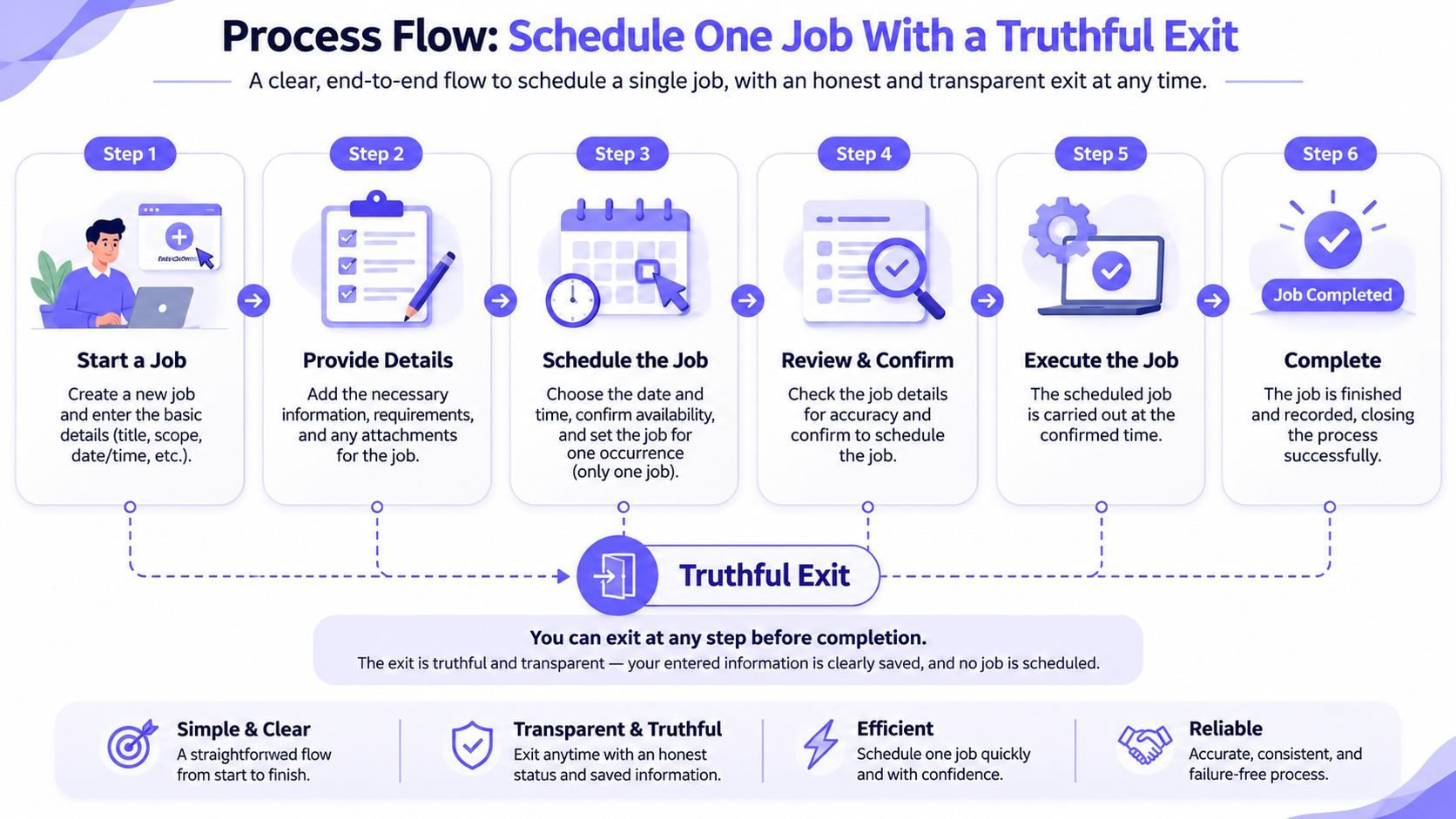
The steps, in order:
- Write the five-field expression and the IANA timezone chosen above.
- Schedule an async function with
noOverlapso a slow run skips the next tick instead of stacking. - Wrap the work in
tryandcatch. Success exits 0 only for a one-shot script. - On a thrown or rejected error, log it, set
process.exitCode = 1, and return before any success signal. - Read the task URL from
CRON_HEARTBEAT_URL. Never hard-code a guessed path or token. - POST that URL only after the business work commits.
- In a long-running process, don't exit per tick. Log start, finish, duration and outcome.
The snippet below is documented guidance, not a tested run. Adapt the work function and the credentials to your own job.
// run-job.js
// node-cron v4 (pin the major version recorded in package-lock.json)
// Run from the app directory with the job's own DB/API credentials.
const cron = require('node-cron');

const HEARTBEAT_URL = process.env.CRON_HEARTBEAT_URL; // copied from the monitor task, never typed from an article
const TIMEZONE = 'Europe/Berlin'; // the zone named in the written time contract
const JOB_ID = process.env.JOB_ID ?? 'nightly-export';

if (!HEARTBEAT_URL) {
  // Fail closed: no invented endpoint, no silent blind spot.
  console.error(JSON.stringify({ event: 'config_error', message: 'CRON_HEARTBEAT_URL is unset' }));
  process.exitCode = 1;
}

async function runOnce() {
  const runKey = `${JOB_ID}@${new Date().toISOString()}`;
  const startedAt = Date.now();
  console.log(JSON.stringify({ event: 'started', runKey, timezone: TIMEZONE }));

  await exportInvoices(runKey); // idempotent on runKey; throws on failure

  const durationMs = Date.now() - startedAt;
  console.log(JSON.stringify({ event: 'completed', runKey, durationMs }));

  if (!HEARTBEAT_URL) return; // work ran, but this run stays unverified

  try {
    const res = await fetch(HEARTBEAT_URL, { method: 'POST', signal: AbortSignal.timeout(5000) });
    if (!res.ok) throw new Error(`monitor responded ${res.status}`);
    console.log(JSON.stringify({ event: 'heartbeat_sent', runKey }));
  } catch (err) {
    // Committed work stays committed. The ping is a separate outcome.
    console.error(JSON.stringify({ event: 'heartbeat_failed', runKey, message: err.message }));
  }
}

cron.schedule('30 2 * * *', async () => {
  try {
    await runOnce();
  } catch (err) {
    process.exitCode = 1;
    console.error(JSON.stringify({ event: 'failed', job: JOB_ID, message: err.message }));
    // no heartbeat here, by design
  }
}, { name: JOB_ID, timezone: TIMEZONE, noOverlap: true });

// Floating promises and stray throws must never look like success.
process.on('unhandledRejection', (reason) => {
  process.exitCode = 1;
  console.error(JSON.stringify({ event: 'unhandled_rejection', message: String(reason) }));
});
process.on('uncaughtException', (err) => {
  process.exitCode = 1;
  console.error(JSON.stringify({ event: 'uncaught_exception', message: err.message }));
});
The Node.js process documentation covers process.exitCode and the two handlers; the timers documentation is the reference for what a timer threshold does and does not guarantee.
Why the ping sits after the commit
Order is the whole point. The heartbeat is a claim that the work finished, so it goes strictly after the database transaction commits or the external API returns success. A rejected promise, a timeout or a thrown error returns from the catch block without touching that line.
Three details keep this honest:
- Two separate outcomes. A successful job and a successful ping delivery are not the same event. If the POST fails after a good commit, log a transport failure and leave the business result alone.
- Idempotency before automation. At-least-once delivery means a crash after an external side effect but before the success record can duplicate the run. Store the run key in the same transaction as the business effect, or pass it as an idempotency key to the API you call.
- A bounded attempt count. Retry transient failures with exponential backoff and jitter, cap the attempts, and route permanently failed runs to a dead-letter state rather than retrying forever.
Rule for the exit code: a one-shot Node script that did not complete its work must leave the process with a non-zero code. A success ping after a failed job teaches the monitor to trust a lie.
Handle Failures and Test Five Outcomes
The node-cron repository documents the behavior that catches developers out: long-running tasks can overlap, and its noOverlap option skips the next run rather than queuing it. That's a deliberate safety trade-off, not guaranteed delivery. Skipping prevents duplicate work but can create stale data unless every skip is surfaced and reconciled.
A process heartbeat doesn't close that gap either. Blocked event loops, garbage-collection pauses, suspended machines and tolerance thresholds all produce missed executions while the process stays cheerfully alive. So the failure matrix below is what you test against, in a non-production copy, not what you assume.
| Case | What you see | Truthful signal | Do not |
|---|---|---|---|
| Work succeeds | Side effect committed and function returns | Exit 0 for a one-shot script, then success ping | Treat callback start as completion |
| Work throws or rejects | Logged exception, no commit | Exit 1 and no success ping | Send success after the error |
| Process stopped or restarted | No finish record for the window | External missed-run alert | Assume the in-memory timer resumes |
| Overlapping run | Previous async call still active | Skip with noOverlap and log the skip |
Start a second copy by default |
| Heartbeat transport fails | Work committed, POST failed | Keep job success and alert on the ping | Mark business work failed because the ping failed |
Five acceptance cases with expected results
Record the Node.js version, the node-cron version from package-lock.json, the timezone database in use, the host or container, and whether the schedule is in-process or external. Label what you capture as exercise output, not a benchmark.
- Success case. Let the work complete. Expect exit 0 in one-shot mode and a success ping only after the commit.
- Work exception. Force a rejection. Expect exit 1 and no ping whatsoever.
- Process stopped. Kill the process during the window. Expect no finish row and no ping, which is exactly the state an external monitor catches.
- Overlapping run. Hold the first call past the interval. Expect one skipped tick, one logged skip, and one side effect.
- Failed transport. Block the monitor URL after a good commit. Expect local success and a separate transport log entry.
Then unset CRON_HEARTBEAT_URL and confirm the run fails closed instead of posting somewhere invented. Add a tabletop check for DST: walk through a nonexistent 02:30 and a repeated hour on paper without touching the machine clock, and confirm the written policy matches what the scheduler does.
Choose one missed-run policy before testing: replay each interval, run once for the latest state, or abandon obsolete work. Startup should check for an unfinished run rather than assuming the next callback covers it.
Thresholds that hold up
Alert when lateness exceeds two intervals (illustrative), clear the alert after one on-time completion, and open a separate alert when no completion record arrives at all. Log expected, started, completed, duration, lateness, skipped and last-success age so those three conditions are answerable.
Rolling back is dull on purpose. Disable the schedule or timer unit, remove the test side effect, and leave the logs in place for the postmortem. When nothing starts at all, host-level causes belong to the host crontab guide, and inspecting the schedules you already have answers the next question. For the log shape that makes all of this readable, see what to put in a cron job log.
Verify One Job From Outside the Process
A truthful exit code protects you from silent failures inside a process that's still running. It can't help when the process is gone. That's the case for one external check, and only one, before you scale the pattern.
The Fivenines cron job monitoring feature sends alerts when a scheduled job misses a run or finishes late. Confirm the current behavior on that page before quoting it to anyone. Two boundaries matter: the server agent is open source while the hosted platform is separate, and this check doesn't replace your application log, an RMM, tracing or a searchable log archive.
Verification on a single host:
- Create one cron monitoring task for this job.
- Copy its task URL from the product configuration into
CRON_HEARTBEAT_URL. Don't type a URL from an article. - Run the success case and confirm exactly one completed run appears.
- Run the exception case and confirm no success ping arrived.
- Trigger one safe alert on that single task and confirm delivery on your plan's notification channel.
Stop there. One host, one task URL, one success reading, one failed-work check with no ping, one alert delivered. If the next question is how to audit schedules you already run, the check-cron-jobs guide answers it without adding another monitor.
Fivenines monitors scheduled work from outside the process, so a job that never finished shows up as a missing run instead of a quiet gap in a log nobody reads. Add one host and one cron task, paste its real task URL into your environment, then run the happy path and the failure path and confirm only the first one reports completion. Start with the 14-day trial and let the first missed run alert you rather than a customer.