Proxmox Backup Monitoring: Coverage, Age and Restores

The backup task is green, but a newly added guest has no archive, and nobody has recorded a restore exercise. Proxmox backup monitoring needs separate evidence for coverage, task result, backup age, PBS verification, retention and restoration. A successful task is evidence of a completed backup operation, not proof that every production guest is protected or that its application can recover.
Table of Contents
- The Backup Assurance Matrix at a Glance
- How to Run Read-Only Backup Checks Step by Step
- Reading What Each Backup Signal Actually Proves
- Spotting No-Job, Stale and Silent Backup Failures
- Verification, Retention and Restore Drills
- Alert Rules That Keep Backup Assurance Honest
- Confirm One Backup Check Before You Trust It
The Backup Assurance Matrix at a Glance
A green backup task supports a narrow conclusion: the operation finished successfully within its selected scope. Operators still need to identify excluded guests, inspect stored restore points and establish whether those points have been verified and restored.
Backup assurance matrix for Proxmox VE and PBS
| Signal | Proxmox source | Read-only check | Healthy state | Missing or unknown data |
|---|---|---|---|---|
| Guest coverage | Cluster backup jobs and guest inventory | pvesh get /cluster/backup and pvesh get /cluster/resources --type vm |
Every production VMID is selected by an enabled job or has a documented exclusion | No applicable job: uncovered, never passed |
| Last task result | Node vzdump task history | pvesh get /nodes/NODE/tasks --typefilter vzdump --limit 50 |
Latest relevant operation for each guest ends with OK, with guest-level log evidence |
No task in the inspected window: unknown |
| Backup age | Stored archives on backup storage | pvesm list STORAGE --content backup |
Newest archive per VMID falls inside its recovery point target | No archive: missing; unreadable storage: unknown |
| PBS verification | PBS verify jobs and task history | proxmox-backup-manager verify-job list and proxmox-backup-manager task list |
Relevant snapshots have successful verification inside the intended interval | Never verified or PBS unreachable: unknown |
| Retention | Prune settings and dry-run results | proxmox-backup-client prune GROUP --dry-run with the actual keep flags |
Required restore points remain in each retention window | Failed dry run or inaccessible repository: unknown |
| Restore exercise | Operator-maintained restore log outside Proxmox | Recorded isolated restore and application validation | Dated, successful exercise within the agreed interval | No record: unknown; monitoring alone can't prove restoration |
Evidence must match the guest
A task can include multiple guests. Its aggregate status shouldn't substitute for checking which guests participated and whether their individual operations succeeded.
Coverage also requires evaluating job selection rules, not merely searching for a VMID string. An all-guests job can cover a guest without explicitly listing its VMID; exclusions, disabled jobs and node scope can remove that coverage.
Practical rule: A healthy cell needs evidence. A check that cannot answer the question leaves the cell unknown, not passed.
The Proxmox virtual machine monitoring guide covers shared cluster, host and guest monitoring basics. Backup assurance adds evidence about protected data rather than treating a running VM as a protection signal.
Before creating alerts, the cluster owner should complete this matrix for the production inventory. Each observation needs its collection time, cluster, guest identity, storage or datastore, and any permission error. An empty result becomes an investigation item until the operator establishes whether it means absence or incomplete visibility.
How to Run Read-Only Backup Checks Step by Step
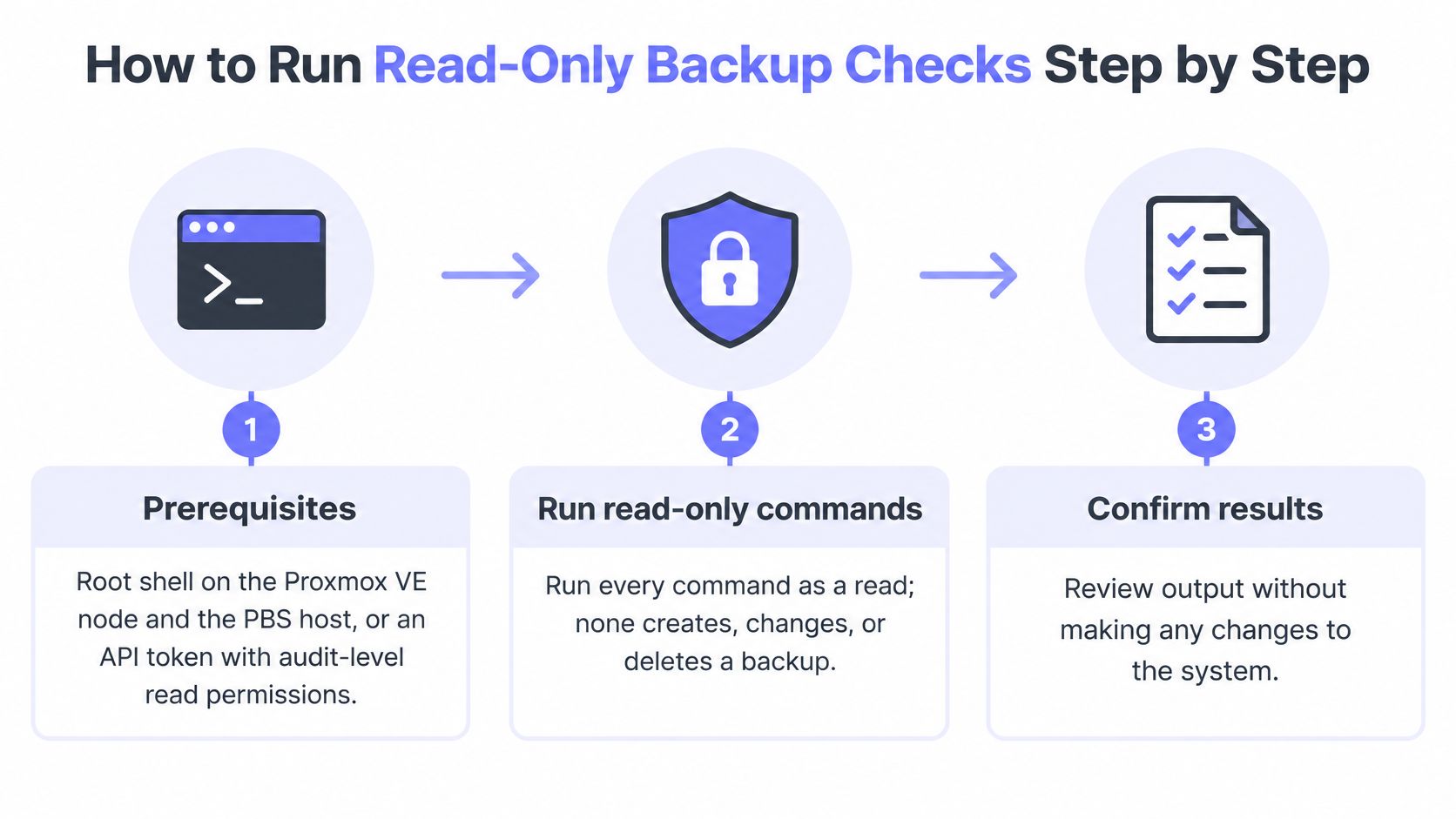
These checks require a root shell on the Proxmox VE node and PBS host, or equivalent API access with the necessary read permissions. An audit role isn't automatically sufficient for every storage or repository operation; permissions must be checked for the actual endpoint and resource.
The workflow below contains observations and a prune dry run, not backup creation or deletion.
Establish the local command contract
These are documented diagnostic patterns, not an executed test report. Record installed versions before scripting:
pveversion
On PBS:
proxmox-backup-manager version
Check local help, including pvesh usage /nodes/NODE/tasks -v and proxmox-backup-client help prune. Replace uppercase placeholders before execution. A shell running pvesh uses local credentials; an API token requires a separately authenticated API client.
Build the guest inventory on VE.
pvesh get /cluster/resources --type vm --output-format json-prettyRecord VMID, guest type and current node. An unexpectedly empty inventory means collection or scope needs investigation.
Read the cluster backup jobs.
pvesh get /cluster/backup --output-format json-prettyResolve enabled state, guest selection, exclusions and node scope against the inventory. A valid empty job list establishes no configured cluster jobs, not necessarily the absence of every manually created backup.
Inspect the execution node's recent tasks.
pvesh get /nodes/NODE/tasks --typefilter vzdump --limit 50Match task times to the expected schedule. This is a bounded page of history, so missing tasks require a wider search rather than an immediate failure verdict.
Read an unclear task's status and log.
pvesh get /nodes/NODE/tasks/UPID/statuspvesh get /nodes/NODE/tasks/UPID/logSubstitute the complete task identifier. Look for terminal status and guest-specific outcomes; a parent job's
OKdoesn't identify excluded guests.Inventory the configured backup storage.
pvesm list STORAGE --content backupGroup entries by VMID and determine the newest backup timestamp from the available metadata or backup identifier. Run against the appropriate storage-visible node, and distinguish an empty listing from an access failure.
Inspect PBS verification scheduling and execution.
proxmox-backup-manager verify-job listproxmox-backup-manager task listIdentify verification tasks and their datastore scope. Job configuration establishes intent; task history establishes execution, and neither alone establishes complete snapshot coverage.
Preview retention without applying it.
proxmox-backup-client prune GROUP --dry-run --repository REPOSITORY --keep-last KEEP_LASTReplace the keep flag with the repository's actual retention policy, including its namespace where applicable. Authentication must already be configured securely; credentials shouldn't appear in shell history.
A successful dry run identifies what would remain and what would be removed. Any permission error, incomplete listing or inaccessible repository leaves the affected result unknown.
Reading What Each Backup Signal Actually Proves
Proxmox VE backup execution, PBS verification and application consistency answer different questions. Combining them into a single green badge removes information that the recovery operator needs.
Separate completion, integrity and consistency
VE vzdump completion
Proves: The selected backup operation finished according to its task result and guest-level log.
Does not prove: Every production guest participated, the stored data remains intact, or an application can start from it.
PBS verification
Proves: The checked stored content matches the integrity metadata used by verification.
Does not prove: The guest application was consistent when captured, or that an operator can complete the recovery procedure.
Guest application consistency
Proves: Only what the configured capture and application coordination mechanisms establish.
Does not prove: Long-term storage integrity, available decryption material, or successful recovery into the intended environment.
The PBS administration manual documents the index.json manifest, including file sizes and SHA-256 checksums, and verification against recorded integrity information. It also documents policies for skipping previously verified snapshots and deciding when verification becomes outdated.
That makes verification stronger evidence of stored integrity than a successful write. It also makes verification recency important: a historical successful check doesn't describe every snapshot's present verification state.
Application checks need their own evidence
VE exposes snapshot, suspend and stop backup modes. For QEMU guests, guest-agent filesystem freeze can contribute to capture consistency, but filesystem coordination isn't a universal database validation mechanism. Operators should consult the installed VE documentation's Backup and Restore chapter and vzdump mode definitions before encoding mode-specific assumptions into alerts.
A database can require its own recovery procedure, credentials, transaction recovery and dependency checks. Only an isolated restore followed by application validation exercises that path for the selected restore point.
Verification failures deserve prompt investigation, but they don't identify a cause by themselves. Corruption, storage faults or unauthorized changes require supporting evidence rather than an automatic ransomware diagnosis.
The same discipline applies to monitoring itself. The monitoring data quality guide provides useful context for separating an observed healthy value from a value that stopped updating.
Spotting No-Job, Stale and Silent Backup Failures
An old healthy reading can remain visible after collection stops. Before interpreting an unchanged backup age or task status, the responder should establish when the monitor last completed a successful observation.
Backup failure cases and first read-only check
| Case | What the matrix shows | Likely cause | First read-only check |
|---|---|---|---|
| No backup job | VMID exists in inventory but has no applicable enabled job | Guest omitted, excluded or outside job scope | Compare inventory with selection rules from pvesh get /cluster/backup |
| Stale backup | Newest archive exceeds the recovery target; historical task may say OK |
Disabled schedule, full storage or incorrect node scope | pvesm list STORAGE --content backup, then inspect the newest backup per VMID |
| Silent collection gap | Last observation is old and expected updates are absent | Node unreachable, invalid credentials or PBS unavailable | Check reachability and authentication, then repeat the task query |
| Unmounted PBS datastore | Scheduled maintenance skipped; sync fails | Removable datastore isn't mounted | findmnt on PBS, then proxmox-backup-manager datastore list |
Distinguish absence from collection failure
For a newly provisioned guest, coverage evaluation should resolve the job's actual selection semantics. Only after that evaluation should an operator declare the guest uncovered. A documented exclusion should include its owner and alternative protection method, not just an unexplained suppression.
For stale archives, inspect storage availability and the scheduler separately. A successful historical operation doesn't establish that another execution was due, started or completed.
For collection gaps, preserve both the last successful observation time and the last known backup time. Replacing either with the current time during a failed poll would make old evidence look fresh.
Silence needs a classification: no scheduled work, missed work, or failed observation. Those states require different responses.
Treat removable storage explicitly
The PBS datastore documentation states that unmounted removable datastores cause scheduled verify, prune and garbage-collection jobs to be skipped, while sync jobs start and fail. Alerting only on failed tasks therefore misses some maintenance omissions.
findmnt shows the host's mount table. The operator must compare its output with the configured datastore path and expected device; a reachable directory alone doesn't establish that the intended removable storage is mounted.
Garbage collection also needs its own execution record. Capture start, completion, duration, errors and reclaimed space, then investigate persistent deviations alongside storage latency and free capacity.
A deliberately disconnected datastore needs a maintenance-aware expectation, not a permanent alert exemption. Its next connection should trigger confirmation that the expected work resumed. The scheduled-job monitoring guide describes the same missing-execution pattern for cron-style work.
Verification, Retention and Restore Drills
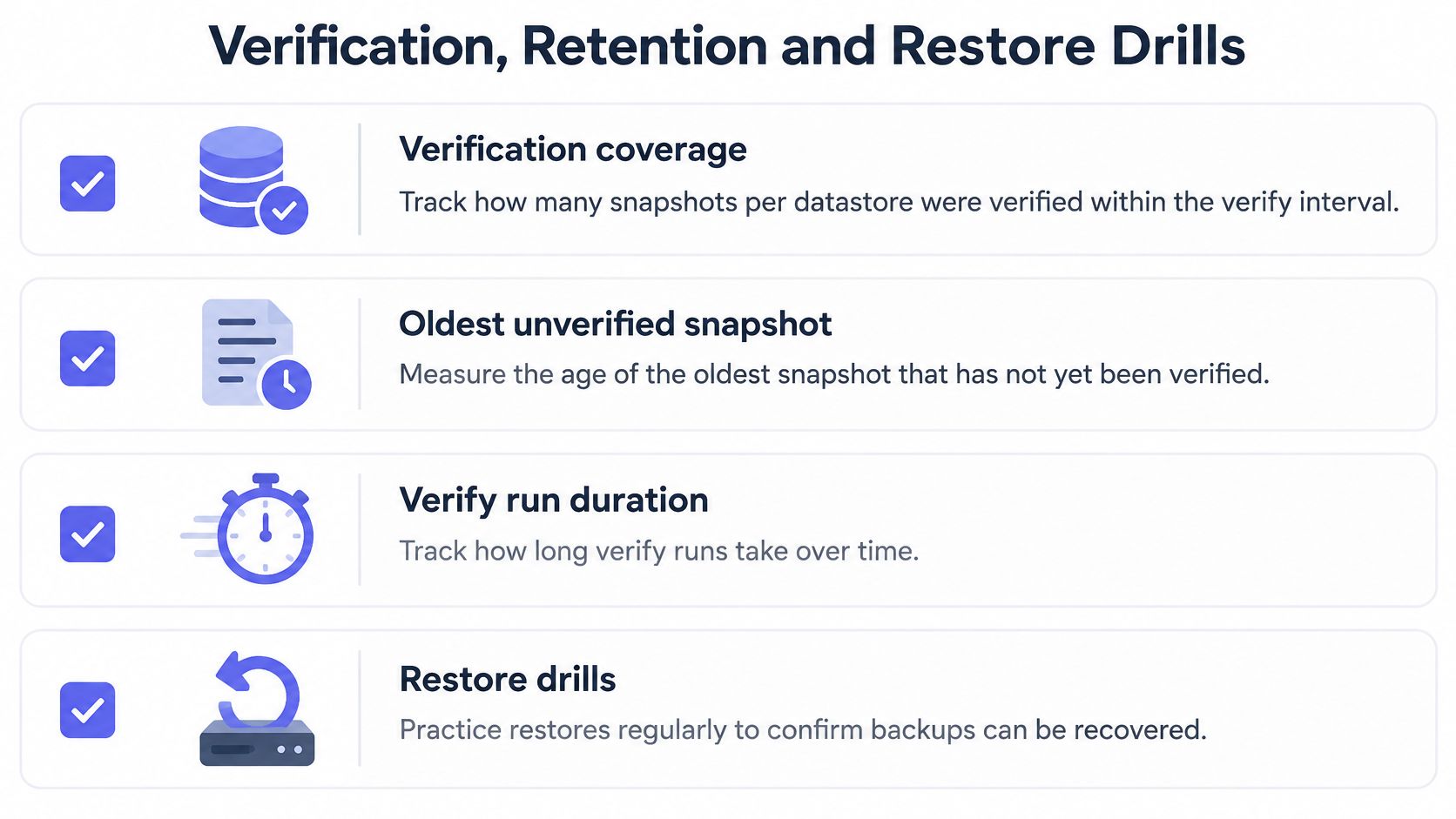
Verification coverage should describe the retained snapshots that need checking, not just whether a verification job exists. The operational checklist separates that evidence from retention and recovery practice.
Verification and retention checks
The current PBS maintenance documentation describes scheduled verification, rechecking outdated verification and the separate roles of pruning and garbage collection.
- Verification coverage: Record eligible snapshots, recently verified snapshots and snapshots awaiting verification, grouped by datastore and backup group.
- Verification age: Track overdue snapshots against the configured trust interval. A successful task shouldn't clear an overdue condition for snapshots it didn't check.
- Execution pressure: Compare run duration and backlog with available maintenance windows and datastore I/O.
- Capacity: Observe garbage-collection outcomes and free space separately from prune success.
For retention, the PBS retention documentation distinguishes keep-last from hourly, daily, weekly, monthly and yearly policies; keep-daily N retains the latest backup for each of the last N calendar days that contain backups. It doesn't promise a backup for every calendar day.
- Preview the policy: Use the actual keep flags, repository and namespace in the prune dry run.
- Inspect retained dates: Compare restore-point distribution with recovery requirements, not merely the total snapshot count.
- Investigate gaps: A retention policy can't recreate a backup that was never captured.
- Separate deletion stages: Pruning removes snapshot metadata; garbage collection later reclaims eligible unreferenced chunks.
Manual restore exercise
This procedure changes state and belongs in an isolated environment. The operator should select a representative guest for each recovery tier, allocate an unused VMID and verify that the test network cannot reach production services.
Restore the selected point, start the guest and perform application-specific validation. Record the source snapshot, required keys, dependencies, elapsed recovery process and result against the agreed recovery time objective. After evidence is retained, remove only the explicitly identified test resources.
The following video can supplement the written procedure; local isolation and cleanup controls still need an approved runbook.
Alert Rules That Keep Backup Assurance Honest
Backup alerts should evaluate guest-specific evidence and observation freshness, rather than page on every task event. Each rule needs an opening condition, a recovery condition and a separate response when collection fails.
The following windows are illustrative configuration choices, not vendor defaults or measured recommendations. Production settings should come from the recovery point target, schedule, maintenance window and verification policy.
Illustrative alert rules for backup assurance
| Rule | Illustrative window | Recovery condition | Collection-failure handling |
|---|---|---|---|
| Guest with no backup job | One complete, successful inventory cycle | Enabled job covers VMID, or an approved exclusion is recorded | Failed inventory read: unknown, not no-job |
| Newest archive past recovery target | Two consecutive successful checks past target | A newer archive brings age inside target | Failed storage listing: collection error |
| Failed vzdump task | Immediately after terminal failure, deduplicated per guest | Next successful operation for that guest | Empty task page: investigate history scope and freshness |
| Verify overdue | Verification interval plus an illustrative 24-hour allowance | Affected snapshots receive successful verification | PBS unreachable: collection gap |
| Datastore unmounted | Immediately outside approved disconnection windows | Expected mount returns and required verification completes | Failed mount observation: route to host owner |
Recovery must answer the original failure
A newer archive shouldn't automatically clear an unrelated verification incident. Likewise, a mounted datastore doesn't establish that previously skipped maintenance has completed.
For a failed multi-guest task, identify affected guests from the log before creating guest incidents. The incident payload should retain cluster, VMID, execution node, task identifier, storage or datastore, observed timestamp and expected deadline.
Collection alerts need their own ownership. An authentication failure belongs with the monitoring-access owner, while an overdue backup belongs with the protection owner; combining them can send the responder toward the wrong fix.
Recovery condition: Clear an incident only when fresh evidence resolves the condition that opened it.
The alert setup guide covers the surrounding notification workflow. Backup-specific rules still need validation against the actual collection interval and data model.
A safe pilot can use a non-production guest deliberately omitted from a test job. Confirm that the no-job condition opens after a successful inventory, then add the guest through the normal approved configuration process and confirm recovery. Record whether notifications arrived, whether deduplication worked and whether the incident named the correct guest.
Confirm One Backup Check Before You Trust It
Choose one Proxmox node, a guest with a known backup job and its PBS datastore. Keep the production checks read-only. Test alert conditions separately with a non-production guest.
Compare the same evidence
- Record a manual baseline. Note the guest identity, applicable job, latest guest-level result, newest stored backup, verification evidence and retention preview, along with when each was collected.
- Match identities and timestamps. Compare the monitor's reading with the same guest and storage source. Check timezone, polling delay, permissions and repository scope before treating a mismatch as a backup failure.
- Keep unknowns visible. If verification or retention evidence is not exposed, mark it unknown or monitor it separately. Missing data is not a pass.
- Validate a safe alert. Use the non-production guest to check incident opening, routing and recovery, then record the result in the monitoring runbook.
Fivenines Proxmox monitoring covers cluster quorum, node availability, guest state, storage pools and per-guest backup freshness. It raises one incident per real problem rather than one for every node that detects it. Check the Proxmox monitoring feature page for the listed monitoring capabilities.
Keep restoration evidence separate
A guest shown as running does not prove that its application is available or that a backup can be restored. Backup freshness is a separate signal from restoration success.
Keep the restore row tied to a dated application-validation record. Expand monitoring to more nodes only after the evidence matches the manual checks, not just because the agent connected.
Fivenines provides Proxmox health and per-guest backup freshness within its infrastructure monitoring platform. Visit Fivenines to scope a single-node pilot, compare a known guest's backup reading with read-only checks, and validate a safe alert before expanding coverage.