Slack PagerDuty Integration Setup Guide for 2026


It's 2 a.m., the on-call phone has already fired, and three engineers are posting screenshots in a Slack thread that has no connection to the incident record. Someone acknowledges in PagerDuty, someone else resolves the wrong alert in chat, and the postmortem later can't prove who did either action. That's the problem a well-built Slack PagerDuty integration solves, and it's also the problem a rushed marketplace install makes worse. The install takes minutes. Identity linking, permission control, channel design, and noise discipline take deliberate testing, and those are the parts that decide whether responders trust the buttons at night.
Table of Contents
- Connect Slack and PagerDuty in Four Stages
- Shared Channels Versus Dedicated Incident Rooms
- Identity Links Permissions and Audit Trails
- When Slack Should Not Be the Paging Path
- Fixes for Failed Acks and Missing Cards
- Go-Live Rule and Monitoring Feed
Connect Slack and PagerDuty in Four Stages
A P1 lands as an incident card in Slack while the primary on-call is already reading the war room thread. The card shows the service, priority, and assigned responder, and the primary acknowledges without opening another tab. That single action only works because someone configured the workspace mapping, the service connection, and the responder's identity link long before the page.
The split of responsibility needs to stay clear from day one. Slack is the collaboration and visibility layer. It's where responders read context, debate mitigation, and keep a timeline. PagerDuty stays the system of record for incident state, urgency, escalation policy, and the on-call schedule. If those two roles blur, teams end up treating a chat reaction as an acknowledgment and a muted channel as an escalation policy.
Webhook Posting Versus Bidirectional Control
A one-way webhook only posts text into a channel. It can't acknowledge, it can't check who clicked, and it can't write state back to PagerDuty. Teams evaluating that simpler route should understand the limits described in the guide to webhook notifications and one-way alert delivery, because a webhook that looks like an integration during a demo behaves like a noisy RSS feed during a real outage.
The bidirectional app is different in kind, not just degree. A linked responder can acknowledge, resolve, escalate, and add notes from the card, and each action writes back to the incident and appears in the channel timeline. That write-back is what makes the channel usable as an audit record. Without it, Slack holds opinions while PagerDuty holds facts, and nobody knows which one the escalation clock obeyed.
Practical rule: If an action taken in Slack doesn't change the incident state in PagerDuty, responders shouldn't be trained to take it during a P1.
This pattern isn't new, and that maturity matters for production planning. The relationship has built up over years from early ChatOps functionality toward a supported, broadly used workflow. That history means the failure modes are well understood. They're rarely exotic. They're the mundane ones, unlinked users, wrong workspace, wrong channel, wrong role, repeated at scale.
The Four-Stage Rollout
The PagerDuty Slack user guide supports a rollout in four controlled stages, where an account administrator, Global Administrator, or Account Owner authorizes the workspace, a Team Manager, administrator, or Account Owner connects services to named channels, every responder runs /pd link, and the team verifies the whole path with a synthetic incident. Treating stage one as the finish line is the classic pitfall. Workspace authorization gives visibility, but unlinked users can't reliably perform privileged actions, and channel configuration fails without visible notice when a user lacks the required PagerDuty role or Slack channel access.
| Stage | Who can do it | What you configure | Pass condition |
|---|---|---|---|
| 1. Authorize the workspace | Account administrator, Global Admin, or Account Owner | Map the PagerDuty account to the Slack workspace and approve the app | App is installed and the account mapping is saved |
| 2. Connect services or teams | Team Manager, administrator, or Account Owner | Bind each service or team to one explicitly named Slack channel | A declared incident posts a card in that channel only |
| 3. Link responder identities | Every on-call user | Run /pd link so the Slack user matches a PagerDuty user |
Linked user sees actions allowed by their PagerDuty role |
| 4. Run a synthetic incident | Incident commander plus one user who should be denied | Fire a P1 or P2 path and one unauthorized path | Notify, ack, escalate, note, and resolve succeed, the denied user cannot act |
Each stage has a named owner and a pass condition for a reason. Stage two failing looks identical to stage three failing from inside the channel, dead buttons and confused responders, but the fixes live in different admin consoles. Separating the stages turns a vague complaint that Slack doesn't work into a specific failed check with a specific owner.
The Eight Setup Steps
- Authorize the production workspace: In PagerDuty, open Integrations, add Slack, and authorize the exact production workspace named in the change ticket, not a similarly named test workspace that half the team also belongs to.
- Connect one low-risk service first: Bind a single non-critical service to a private channel such as #pd-test, so early mistakes stay invisible to customers and executives.
- Confirm the escalation policy: Verify the service has a primary and a secondary with different notification rules, because Slack doesn't replace phone, SMS, or push, it sits beside them.
- Link both responders: The primary and secondary each run
/pd linkand confirm the linked PagerDuty email shown in response matches the account that owns the service. - Trigger a real test incident: Fire the incident from the service itself, not a hand-typed fake message in Slack, so the card, the escalation clock, and the notifications all come from the production path.
- Exercise the full card: Acknowledge as the primary, add a note containing the test ID, escalate to the secondary, then resolve, checking that each step updates both the card and the PagerDuty incident.
- Test the denial path: Repeat the actions as a channel member with no responder role and record that the action is refused, with the refusal clearly indicated.
- Expand service by service: Only then attach customer-facing services, one owning channel per service or team, repeating the synthetic test for each new binding.
Step seven is the one teams skip, and it's the one that matters most for trust. A rollout that only proves authorized users can act has proved half the contract. The other half, that unauthorized users cannot act, is what lets an incident commander accept a Slack acknowledgment as real evidence during a postmortem or an audit.
A Worked Example With Payments
Say a SaaS company connects the payments-api service to #inc-payments, a private channel owned by the payments on-call rotation. The card posts there, the primary acknowledges from the card, and notes accumulate in the thread. Escalation still runs outside Slack, phone first, then SMS to the secondary once the Slack acknowledgment window expires without a response.
That design keeps two promises at once. Responders who are already in Slack get speed and context. Responders who are asleep, driving, or away from a laptop still get woken by a channel that doesn't depend on an open app. Removing the phone leg because the Slack demo looked clean would trade a proven wake-up path for a hope that notifications are unmuted.
Secondary automation belongs around this core, not inside it. Status digests, ticket summaries, and housekeeping posts can automate Slack updates with Zapier where a missed message costs nothing. Incident state changes shouldn't ride on that kind of glue, because a delayed or duplicated automation run during an outage creates exactly the forked timeline the bidirectional app exists to prevent.
Shared Channels Versus Dedicated Incident Rooms
The decision comes before the mechanics. Low-urgency incidents belong in a shared service channel where broad awareness helps and one thread stays readable. High-severity incidents belong in a dedicated room that contains the noise, holds the audit trail, and can be archived when the incident closes.
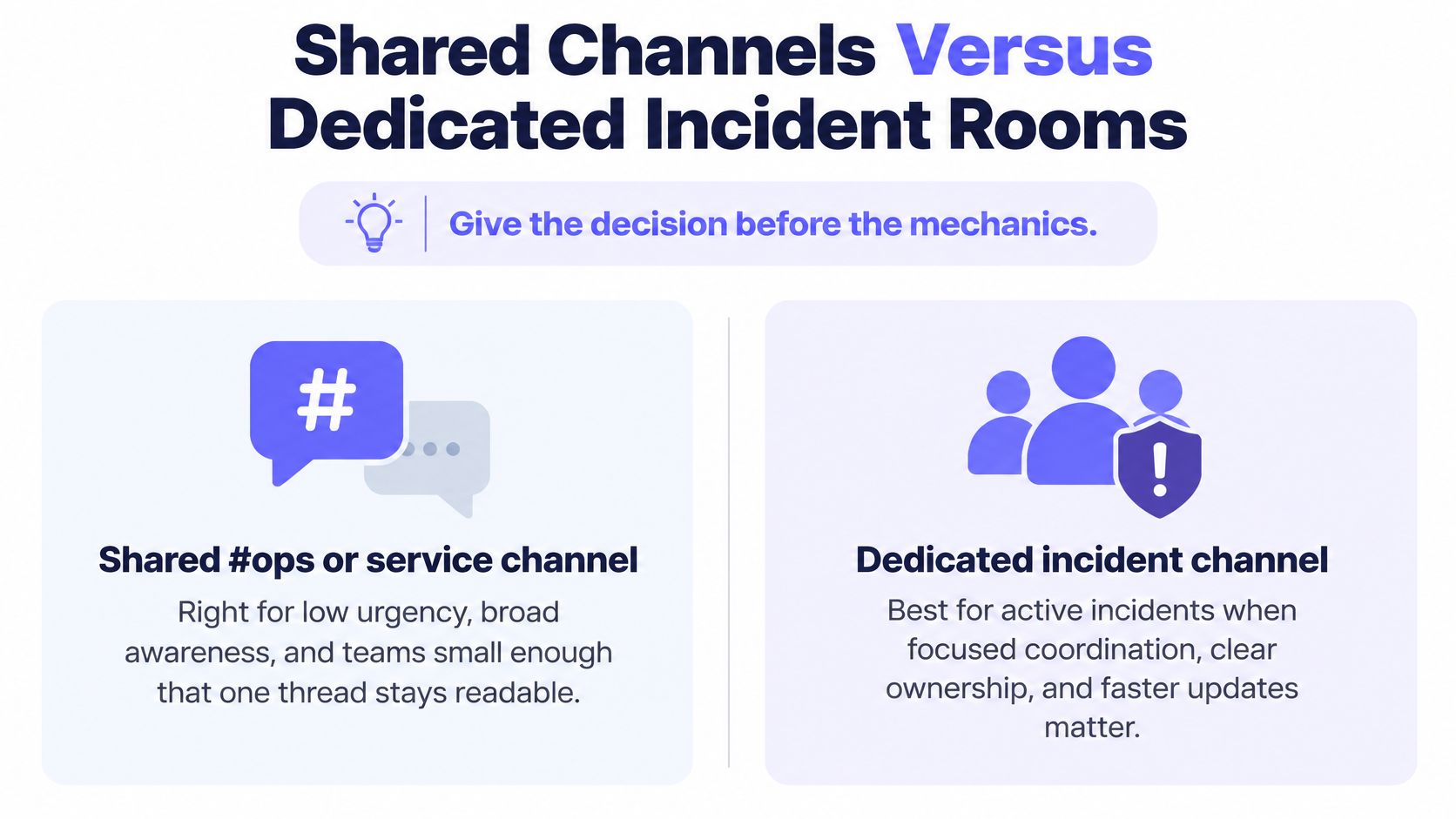
PagerDuty supports this split directly, since the PagerDuty changelog on triggering incidents from Slack documents automatic dedicated-channel creation for incidents matching an organization's top two priority types, with configurable rules based on priority, incident type, and urgency. That gives a clean default map. P1 and P2 incidents on customer-facing services get a dedicated channel. P3 and P4 incidents stay in the service channel as a card and a short thread.
| Incident class | Slack destination | What belongs in the room | Fallback if creation fails |
|---|---|---|---|
| P1 or P2, top two priorities | Auto-created dedicated incident channel | Ack, notes, escalation, stakeholder decisions, audit history | Fixed service channel plus a failure alert to the on-call |
| P3 or P4, lower urgency | Named service or team channel | Card and a short thread only | Same channel, do not spawn a room |
| Stakeholder status | Separate announcement channel | Customer-safe updates, no responder buttons | Email or status page if the channel is muted |
| Incident opened from Slack itself | Channel where /pd trigger ran, then dedicated room if priority rules match |
Trigger context plus the new incident card | Post the incident link back to the originating channel |
The Fallback Most Teams Forget
A workflow action aimed at a dedicated incident channel fails when that incident has no dedicated channel. That isn't a rare edge case, it's what happens the first time priority rules, a manual trigger, or a creation error produces an incident without a room. Every such workflow therefore needs a fallback fixed channel or an explicit failure alert, so a failed action pages a human instead of disappearing.
Testing Duplicates and Measuring the Pilot
Duplicate triggers deserve a deliberate test. Two monitors firing on the same outage shouldn't create two rooms running two escalation clocks. Suppression belongs at the monitor or event-rule layer, before anything reaches Slack, because chat is the worst place to deduplicate anything.
During a one-week pilot, channel-creation failures and action failures should be pulled from PagerDuty and Slack audit logs and turned into a locally calculated success rate. The vendor doesn't publish a benchmark for this, so a team's own logs are the only honest source. The rule underneath the table stays constant throughout. Slack concentrates context. The escalation policy still decides who gets paged and when.
Identity Links Permissions and Audit Trails
Permission drift is the failure mode that outlives a successful install. The integration works on launch day, then people change teams, change emails, and leave, while channel memberships remain. Six months later the buttons still work, but for a population that no longer matches the on-call roster.
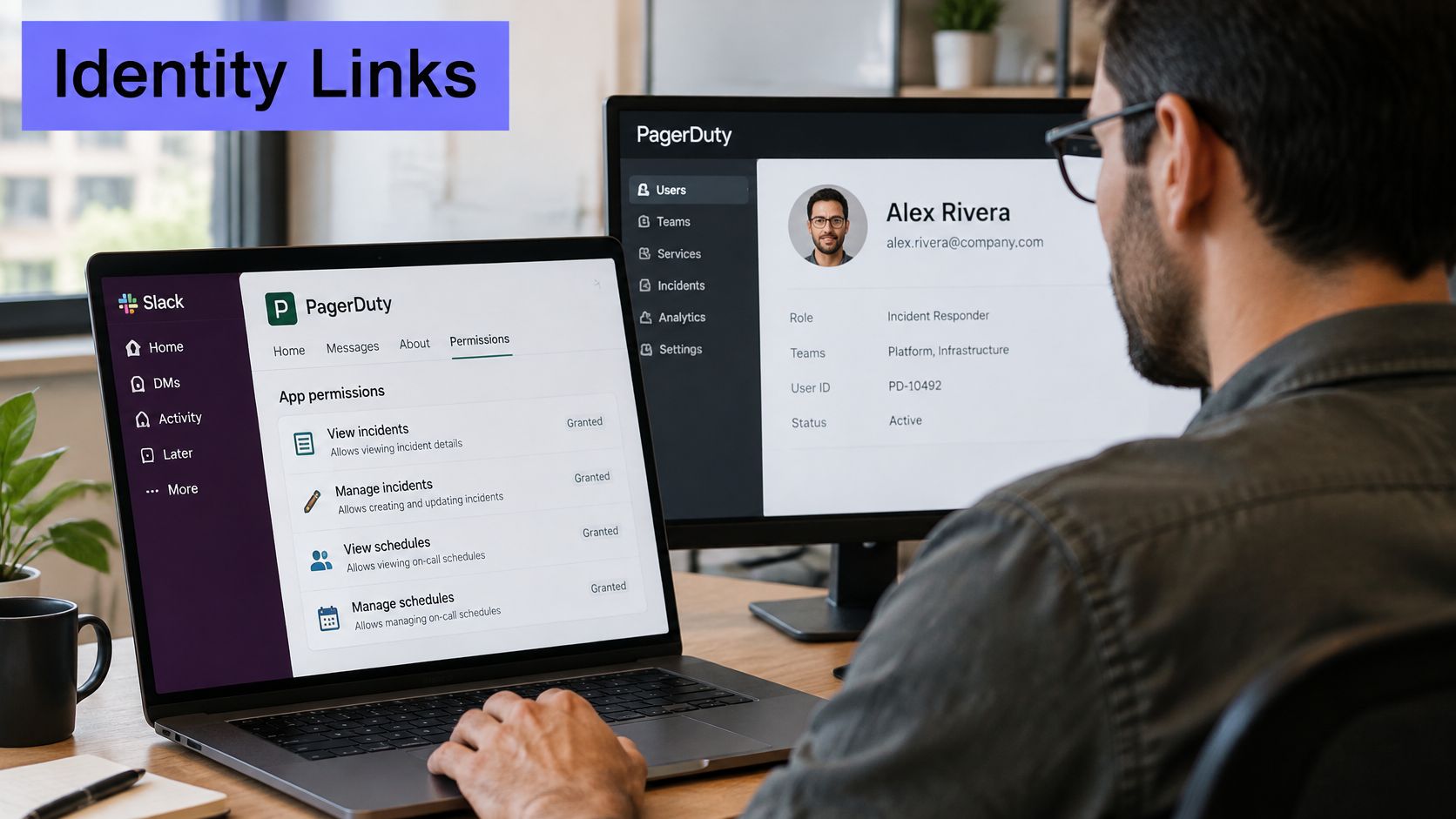
The governing principle is simple, and the PagerDuty Slack integration guide states that users must link their PagerDuty and Slack accounts and that available actions follow each user's PagerDuty permissions. Actions follow the linked PagerDuty user, not the Slack display name and not channel membership. A channel full of people proves nothing about who may acknowledge.
| Role | Can do | Cannot do |
|---|---|---|
| Observer | Read incident cards and the channel timeline | Acknowledge, add notes, resolve, or reassign |
| Responder | Acknowledge, add notes, and resolve | Reassign schedules or change the service connection |
| Manager | Reassign schedules and change the service connection | Act from an unlinked Slack account or bypass the linked PagerDuty identity |
Five Lifecycle Cases Worth Testing
- Changed Slack email: A responder whose Slack email changes must run
/pd linkagain, or button actions stop matching the PagerDuty user they expect. - Two PagerDuty accounts: An engineer in multiple accounts must link the account that owns the service, or an acknowledgment lands in the wrong tenant.
- Leaver: Someone removed from PagerDuty the same day must also lose private incident channels, since lingering Slack membership is how former employees keep reading customer incidents.
- Guest access: A guest or Slack Connect user shouldn't sit in responder channels belonging to another customer, even for read access.
- MSP separation: A managed service provider maps one private channel per client and never posts client A cards into a shared partner channel.
SSO doesn't answer any of these cases by itself. It proves a person can sign in, not that the person still owns a service or a client. The broader governance thinking in this overview of security in event management applies directly here, because every Slack button is an event action performed under a claim of identity.
A quarterly access review keeps drift visible. Export PagerDuty team membership, compare it with Slack channel members, and reconcile audit logs wherever the Slack name and the PagerDuty user differ, so a postmortem can name the actor. Least privilege then becomes concrete. Observers read, responders acknowledge and note, only managers reassign schedules or change service connections.
The review should be paired with a joiner-mover-leaver test run beside the synthetic incident. A new hire links and acknowledges. A transferred engineer loses the old service. A departed engineer can't see the next card. If any of those three outcomes fails, the integration has a governance defect, regardless of how clean the cards look.
When Slack Should Not Be the Paging Path
Slack is a poor primary page. A channel can be muted, a laptop can be closed, and Slack itself can be the thing that's down. Phone, SMS, or push still wakes a responder in all three situations, which is why the escalation policy, not the chat app, owns the job of getting a human out of bed.
The marketplace framing pushes the other way, since the PagerDuty listing in the Slack Marketplace presents Slack as a place to manage incidents end-to-end, with dedicated channels, announcement channels, configurable cards, and AI-generated post-incident reviews. None of that answers when Slack shouldn't be the paging path. Richer cards and dedicated rooms increase operational coupling, so the monitor and the escalation policy have to remain the source of truth, a design stance that aligns with a disciplined incident escalation process rather than with chat convenience.
Controls That Keep One Authoritative State
- Suppress duplicates upstream: Duplicate monitor notifications should be stopped before they become incidents, or PagerDuty escalates the same outage twice while chat looks busy.
- Protect stakeholder workflows: An in-Slack acknowledgment shouldn't cancel a stakeholder update that a separate workflow still owes.
- Separate the audiences: Responder threads stay out of announcement channels, so support staff aren't effectively paged by debugging chatter.
Four Numbers That Reveal Noise
Measurement settles the argument about whether chat-based response helps. Four numbers, tracked for two weeks before and after rollout, tell the story. They are alert-to-acknowledgment time, time-to-mitigation, messages per incident, and repeat-page rate.
If acknowledgment time drops while message volume and repeat pages rise, the integration added noise and called it collaboration.
Five failure drills cover what the install test doesn't. A Slack outage, a missing /pd link, a muted channel, Slack rate limits during a multi-service event, and an incident a human triggers inside Slack rather than from a monitor each break a different assumption. AI-assisted post-incident reviews now pull more of the lifecycle into Slack as well, which makes a clean channel archive valuable only if incident state was never forked along the way. A beautiful summary of a forked timeline is still a forked timeline.
Fixes for Failed Acks and Missing Cards
Most Slack PagerDuty integration failures present as three symptoms that waste on-call time, and each one misleads in a specific way. The table gives the first checks. The narrative after it covers the misdiagnoses.
| Symptom | Usual cause | First checks |
|---|---|---|
| No incident card | Service or team not connected, urgency filter, or wrong workspace | Confirm the service connection and that the incident priority is allowed to post |
| Buttons do nothing | User not linked or PagerDuty role too low | Run /pd link and compare the user's role with the action |
| User cannot see the channel | Private channel or guest restriction | Invite the linked responder, do not add guests to customer rooms |
| Ack in Slack, phone still rings | Duplicate incident or ack on the wrong event | Ack the incident ID that owns the escalation policy |
| Dedicated-channel action fails | No dedicated channel on that incident | Send the action to the fallback service channel and alert on the failure |
| Note attributed to the wrong person | Slack display name differs from the PagerDuty user | Reconcile the audit log against the /pd link |
| Cards flood one channel | Every priority posted to #ops | Limit auto rooms to the top two priorities and suppress duplicate monitors |
No Card At All
A missing card usually means the service was never connected, the incident was filtered by urgency rules, or the app was authorized in a different Slack workspace than the one the channel lives in. The first check is the service connection in PagerDuty. The second check is whether the incident's priority is allowed to post to that destination. Checking Slack channel settings first is the common time sink, because the channel can't display a card that was never sent.
Dead Buttons on a Visible Card
A card with dead buttons usually means /pd link was skipped, the PagerDuty role can't acknowledge, or the responder isn't a member of the private channel. These look identical to the person clicking. They aren't identical to fix. Linking takes seconds, a role change needs a manager, and a channel invite needs a channel member, so diagnosing in that order saves a round of escalations to the wrong admin.
Escalation That Keeps Firing After an Ack
Continued paging after an acknowledgment usually means the ack happened on a duplicate incident, or a monitor is still opening new incidents faster than the policy's acknowledgment timeout. The fix starts with the incident ID that owns the escalation policy, not with the card that happens to be on screen. Two less obvious cases sit behind this one. Dedicated-channel workflow actions fail because no room was created, which the fallback channel absorbs. Notes showing a Slack display name that a postmortem can't map get fixed by reconciling the link in the audit log.
When two checks in a row come back clean and the symptom persists, the right move is to stop toggling settings and re-run the synthetic P1. A five-minute smoke test belongs on the runbook. Trigger, confirm the card in the expected channel, ack, note, resolve, and confirm the escalation timer stopped.
Go-Live Rule and Monitoring Feed
Go-live should involve exactly one service. A single service gets bound to a named channel, the current primary and secondary link their accounts, and one P1-style synthetic incident runs end-to-end. Acknowledge, note, escalate, resolve, then confirm an unlinked teammate can't act.
If the unauthorized user can still ack, or a Slack outage would leave nobody paged, the integration is not done.
Two numbers judge the result over the following two weeks, alert-to-acknowledgment time and repeat-page rate, compared against the two weeks before. Busy-looking cards prove nothing. Faster acknowledgment without extra repeat pages proves the integration earned its place, and that discipline carries into any wider incident management automation a team layers on afterward.
Expansion follows the monitoring feed, not enthusiasm. Monitors get grouped by service or client first, the severe workflow routes to PagerDuty second, and only then does that PagerDuty service connect to Slack. On the monitoring side, Fivenines offers a native PagerDuty integration on the Business plan and above, and that plan costs €79 per month with 100 monitors, 25 team members, PagerDuty and webhook alerts, 24 months of data retention, white-label status pages, security vulnerability scanning, and SAML SSO. Most SaaS teams start on Pro and move to Business for SSO and PagerDuty or webhook alerts, which matches the natural point where a Slack rollout needs governed identity anyway.
After every change to routing or roles, the five-minute smoke test runs again. Routing changes are exactly when a card unexpectedly starts landing in the wrong room. The test is inexpensive. Discovering the misroute during a customer outage isn't.
Teams building this workflow need monitors grouped cleanly by service before PagerDuty ever sees an event, and Fivenines provides that monitoring layer with alert routing to PagerDuty, Slack, and webhooks from one dashboard. Setting up the synthetic incident test against a real monitored service takes an afternoon, and it proves the whole path from detection to acknowledged card. Readers ready to tighten that path can start with a single service, a single channel, and the go-live rule above.