What Is Workflow Automation and Why Ops Teams Use It

Workflow automation is software that moves a task through a defined sequence of steps across systems and people, so the right action happens at the right time without a human babysitting it. The Business Process Automation market was valued at $9.8 billion in 2020 and is projected to reach $19.6 billion by 2026, a scale that reflects how workflow automation has moved into mainstream business infrastructure according to MarketsandMarkets.
At 3 AM, the definition becomes practical. A PagerDuty alert fires, a dashboard turns red, and a Slack channel starts filling with notifications. An on-call engineer checks the service, opens a second monitoring system, searches for the relevant runbook, restarts a process, messages another engineer, and updates an incident ticket while customers may already be noticing the problem.
That chain is a workflow. Workflow automation turns it into a sequence that software can execute, monitor, and escalate. The engineer still makes important judgments, but doesn't have to perform every handoff manually.
Table of Contents
- From 3 AM Alerts to Calm Operations
- The Core Building Blocks of Workflow Automation
- Why Ops Teams Adopt Workflow Automation
- Workflow Automation Across DevOps, MSPs, and Hosting
- Alert Routing, Retries, and Auto-Remediation in Practice
- Implementation Patterns and Common Pitfalls
- Where Automation Should Stop
- Your First 30 Days With Workflow Automation
From 3 AM Alerts to Calm Operations
At 3 AM, a production incident rarely arrives as one clean task. An alert fires, a dashboard turns red, and the on-call engineer must decide whether the signal represents a real failure. The response usually includes several connected actions:
- Confirm the signal.
- Gather logs, dashboards, and deployment history.
- Identify the affected service and its owner.
- Page the correct person or schedule.
- Apply a runbook recovery step.
- Record and communicate what happened.
Manual handoffs make this chain fragile. Someone may paste an alert into Slack without the service, deployment version, or customer impact. Another engineer then repeats the investigation because the first response was not recorded clearly. A ticket may also remain open after recovery because no one completed the final administrative step.
Operational rule: Automation should remove coordination work first, not remove engineering judgment.
A workflow can enrich an alert with ownership, severity, recent changes, and related checks. It can route the signal to the correct on-call schedule, retry a transient check, escalate an unanswered page, and create an incident record. For a known and reversible failure, it may run a controlled remediation script. The engineer verifies the result and takes over when the incident crosses the workflow's boundaries.
That boundary is a governance decision as much as a tooling decision. Teams need to define which actions are safe to run automatically, which require approval, and which must always remain with a human. Retries and escalations should also have limits, so an unhealthy service does not produce an endless loop of automated actions.
This makes alert management software useful in daily operations. Alert handling includes notification delivery, routing, suppression, escalation, and preserving enough context for a person to act safely. The goal is a calmer handoff, not a silent system that hides uncertainty.
The broader market reflects growing adoption of workflow automation across business operations, as reported in the MarketsandMarkets reports. For an SRE team, the practical point is simpler: automation can connect monitoring, incident response, approvals, and service management while keeping decisions visible and reviewable.
The Core Building Blocks of Workflow Automation
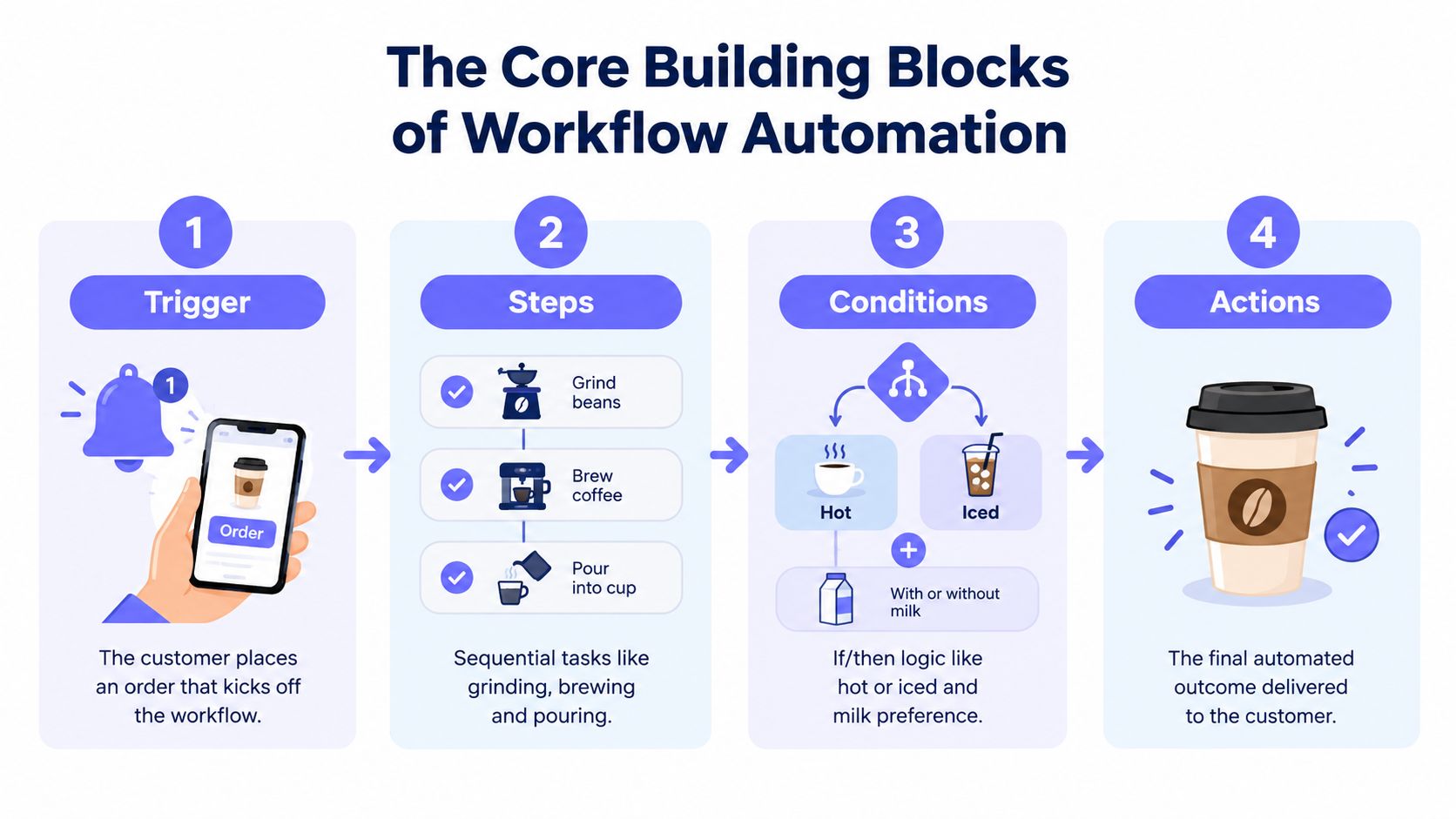
A useful mental model has four core parts: triggers, steps, conditions, and actions. A fifth part, state and audit history, makes the workflow supportable in production.
Consider a coffee order. The customer places the order, the barista follows preparation steps, the order branches based on preferences, and the finished drink reaches the customer.
Triggers start the process
A trigger is the event that begins a workflow. In operations, it might be a CPU threshold, a failed HTTPS check, a completed deployment, a new support ticket, or a scheduled maintenance window.
The trigger should be specific enough to avoid accidental execution. “A server is unhealthy” is less useful than a defined event containing the service, environment, severity, and timestamp.
Steps define the sequence
Steps are the individual tasks that follow. An incident workflow might fetch monitor details, look up the service owner, attach recent deployment information, send a notification, and open a ticket.
Each step should have a clear input, output, timeout, and failure behavior. Without those details, a workflow is only a diagram, not a dependable operational process.
Conditions control branches
Conditions answer questions such as:
- Severity: Should the workflow notify a team or wake the primary on-call engineer?
- Ownership: Which team owns the affected service?
- Timing: Is the event inside a maintenance window?
- Impact: Does the failure affect one internal component or a customer-facing endpoint?
- Confidence: Is the signal strong enough for automated remediation?
Actions create the outcome
Actions perform the useful work. They can send a notification, create a ticket, call a webhook, run a script, delay execution, escalate an alert, or close a loop after recovery.
Workflow automation can appear in a low-code monitoring tool, an integration platform such as Zapier, or a larger orchestration system. The same primitives remain useful across each category. Readers comparing broader patterns can also use this modern app workflow guide to see how triggers and actions connect across applications.
The final block is state and auditability. The system needs to record whether a run is waiting, succeeded, failed, retried, or escalated. That history lets an engineer answer what happened, which branch executed, and where a handoff broke. Teams exploring the monitoring side can review monitoring automation for examples of connecting signals to operational actions.
A short visual explanation can reinforce the model:
Why Ops Teams Adopt Workflow Automation
Operations teams don't automate because a workflow diagram looks elegant. They automate because repeated manual handling creates delay, inconsistency, and avoidable interruptions.
A controlled benchmark comparing 20 manual executions with 25 automated executions measured average execution time falling from 185.35 seconds to 1.23 seconds, an approximately 151× speedup. In the same benchmark, observed error rate fell from 5% in manual runs to 0% in automated runs in the published benchmark study.
That result applies most directly to deterministic, repeatable work. A known alert can be enriched and routed quickly. A standard recovery action can run the same way every time. A ticket can receive the same required fields on every execution. Those improvements reduce coordination overhead rather than pretending that automation can replace incident analysis.
| Benefit | Manual baseline | With workflow automation |
|---|---|---|
| Execution time | 185.35 seconds average | 1.23 seconds average |
| Observed errors | 5% | 0% |
| Operational effect | Repeated handoffs and waiting | Consistent, traceable execution |
The practical consequences are familiar to anyone who has carried an on-call rotation:
- Shorter recovery work: Routine checks and known actions start without waiting for a responder to copy information between tools.
- Fewer pager cascades: Routing and bounded retries can prevent transient noise from waking several people.
- Calmer handoffs: The workflow records what ran, what failed, and what remains open.
- More consistent communication: Customer-facing updates and internal notifications follow defined rules.
- Better engineering focus: Engineers spend less time on repetitive administration and more time on system design, debugging, and reliability improvements.
Financial returns depend heavily on the process. Independent enterprise automation research cites ROI in the 30% to 300% range and payback periods often between 3 and 18 months, depending on complexity and scope as summarized by Softobiz. The same source identifies high-volume, rules-based financial work as a common area for strong returns, but an operations team should apply the same reasoning to incident volume, labor cost, error handling, and rework.
A practical example from the business side appears in this account of automation at the underdog talent marketplace. The transferable lesson is that automation becomes valuable when it connects several routine steps into one controlled flow, rather than merely replacing a single click.
Workflow Automation Across DevOps, MSPs, and Hosting
The same building blocks behave differently depending on who operates the environment.
| Audience | Primary triggers | Typical automated steps | Where Fivenines fits |
|---|---|---|---|
| DevOps and SRE | Deployment events, service alerts, failed checks | Enrich signals, run tests, start canaries, notify owners, escalate or roll back under defined rules | Connect infrastructure signals to incident workflows |
| MSPs | Customer alerts, ticket creation, maintenance schedules | Route by client, apply runbooks, create tickets, track acknowledgements, produce service records | Apply consistent monitoring and notification logic across customer environments |
| Hosting providers | Provisioning requests, capacity events, health checks | Create resources, enforce quotas, validate isolation, notify operators, adjust service state | Link fleet health to provisioning and operational actions |
For DevOps and SRE teams, workflow automation connects the delivery path to the operational path. A deployment can trigger validation checks, a failed canary can pause promotion, and a known failure can open the correct incident workflow. The automation doesn't decide whether a complex production change is safe. It makes the agreed sequence reliable.
MSPs face a different coordination problem. One operator may manage many customer environments with different owners, maintenance windows, and communication preferences. A workflow can apply customer-specific routing while preserving a standard process for ticket creation, acknowledgement, escalation, and reporting.
Hosting providers operate at fleet scale. Provisioning, quota enforcement, tenant-isolation checks, and service-health responses all depend on predictable sequences. A failed health check might create an operator task, while a capacity signal could initiate a controlled adjustment subject to policy.
A unified observability platform can provide the signal that starts each path. The same infrastructure event might launch a runbook in an SRE environment, create a client ticket for an MSP, or initiate a hosting-provider capacity review. Teams comparing monitoring architecture can explore this unified observability platform to understand how infrastructure, uptime, and operational workflows can connect.
The distinction matters because a workflow should reflect ownership and blast radius. A rule that is safe for one internal development service may be inappropriate for a shared customer platform. Audience-specific conditions keep the underlying automation primitives reusable without making every environment behave identically.
Alert Routing, Retries, and Auto-Remediation in Practice
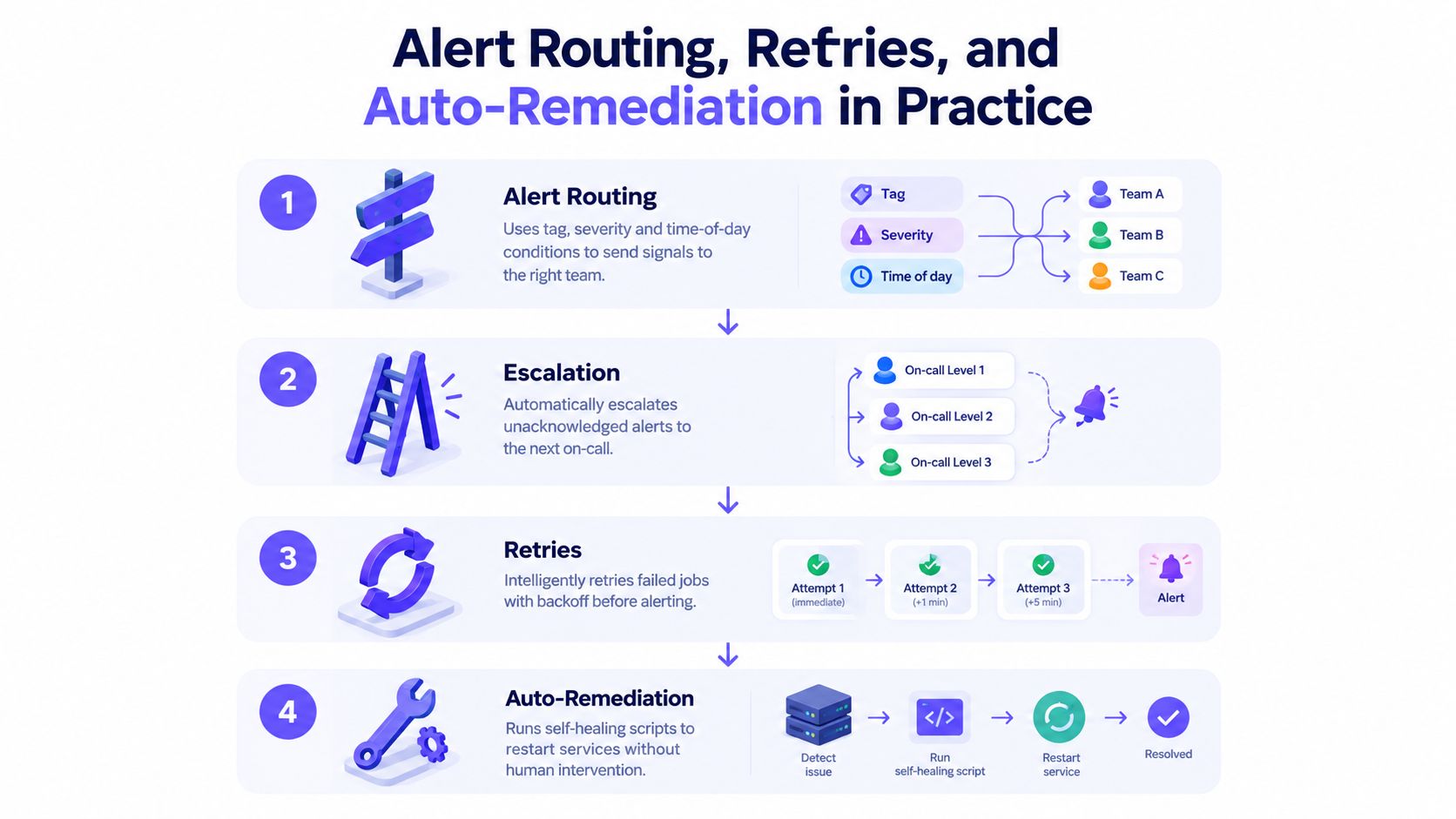
Alert automation works best as a progression from communication to controlled recovery. Each layer answers a different operational problem.
Alert routing removes guesswork
Suppose an uptime check fails for a customer-facing service. The workflow can evaluate tags, severity, service ownership, and time of day before choosing a destination. A critical production event may page the primary responder, while a lower-severity event may go to a team channel and create a ticket.
Deduplication matters here. Several monitors can report the same underlying problem, so the workflow should group related signals instead of sending every symptom as a separate interruption.
Retries filter transient noise
A network request can fail once without indicating a sustained outage. A bounded retry with backoff gives the check a chance to recover before paging anyone. The retry policy needs limits, because unbounded retries can hide a real incident or create additional load.
The workflow should record each attempt. Operators need to distinguish a clean success from a success that required repeated retries.
Escalations protect ownership
If the primary responder doesn't acknowledge an alert within the configured window, the workflow can notify the secondary responder, then a manager or shared incident channel. Escalation is not punishment. It prevents an alert from waiting indefinitely in a private queue.
The escalation path should be explicit, tested, and reviewed when schedules or ownership change. A stale contact is a workflow failure, even if the monitoring signal is accurate.
Auto-remediation handles known failures
Auto-remediation belongs only where the failure mode is understood and the action is reversible. Restarting a stuck stateless service or clearing a known temporary condition may be suitable. A production database write, data deletion, or security containment action usually needs human review.
A webhook can connect the monitoring workflow to a runbook, ticketing system, chat platform, or internal service. Teams can review webhook notifications when designing those cross-system actions.
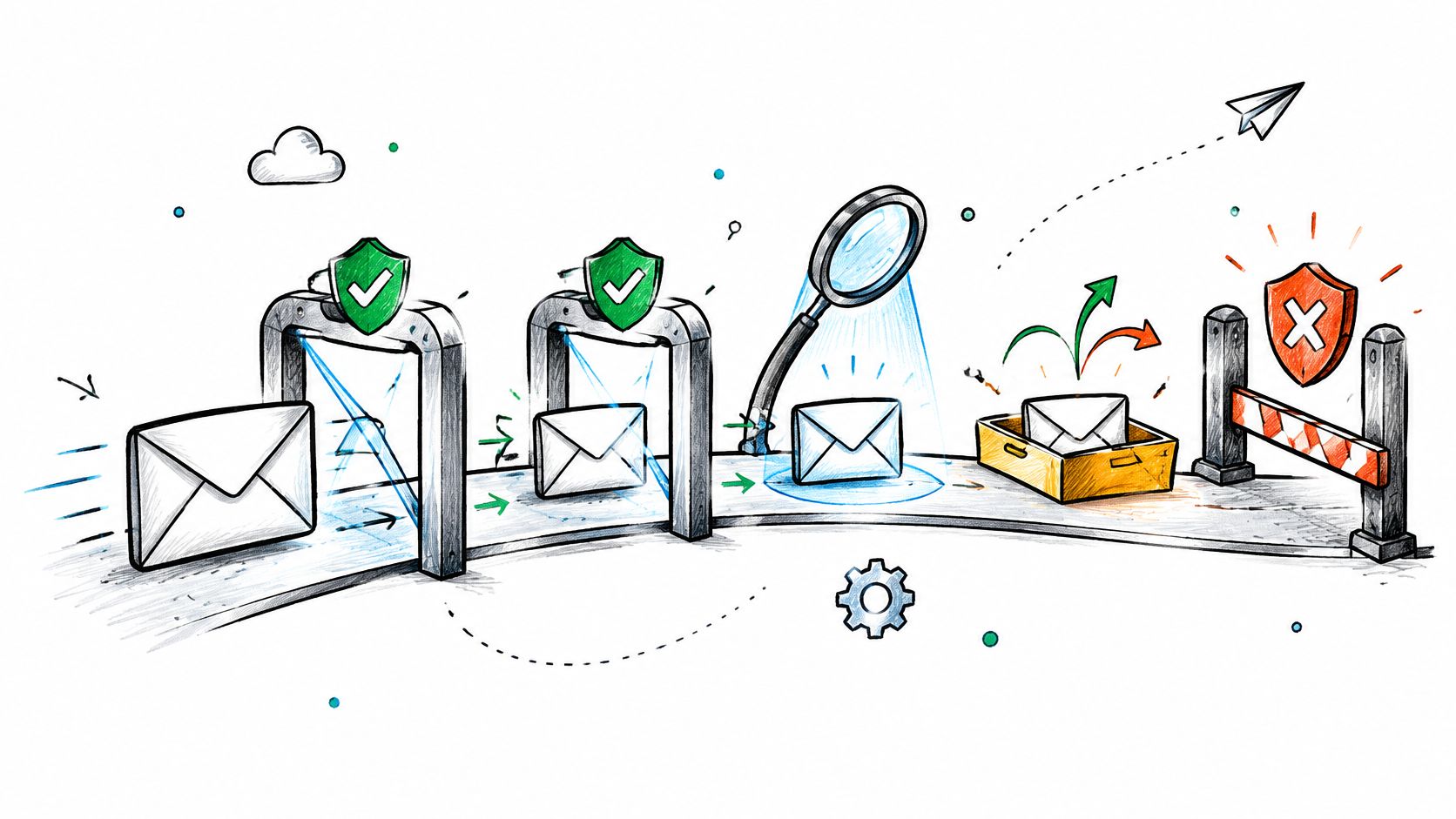
Safety boundary: A workflow should prove that the condition is present, execute the narrowest safe action, verify recovery, and escalate when verification fails.
This sequence turns a raw alert into a controlled response. It also gives the engineer a clear stopping point when the incident no longer matches the known pattern.
Implementation Patterns and Common Pitfalls
Reliable automation starts with a small, repeatable runbook. A disk-space check, certificate-renewal reminder, or service restart with a strong health check is easier to test than a broad workflow that touches many production systems.
The implementation should follow the behavior of production code:
- Version the definition: Store workflow configuration, scripts, and policy changes where reviewers can see them.
- Use documented interfaces: Prefer APIs and webhooks over screen scraping, which breaks when a user interface changes.
- Define failure states: Every downstream call needs a timeout, retry limit, and escalation path.
- Observe the workflow: Track execution state, branch decisions, retries, and failed actions, not just the original alert.
- Assign ownership: A named team should review the workflow when its dependencies or runbook changes.
Integration is the most common source of trouble. A downstream API can change its response format, credentials can expire, or a permission can disappear after an ownership change. A workflow that fails without notice is worse than a manual process because operators may assume the intended action already happened.
The 2026 workflow automation statistics roundup reports that 61% of organizations cite integration complexity, 54% lack in-house technical skills, 47% have security or compliance concerns, and 42% struggle to maintain existing automations in the cited workflow automation report. These figures describe why governance belongs in the initial design, not as a later cleanup project.
Retry storms are another familiar failure. If every failed action retries immediately, the workflow can amplify load and produce duplicate tickets or pages. Backoff, idempotent actions, circuit breakers, and dead-letter handling keep a temporary dependency failure from becoming a wider incident.
Finally, avoid single-person ownership. If only one engineer understands the automation, vacation and turnover create operational risk. Documentation, peer review, test runs, and periodic failure drills make the workflow part of the team's system rather than an undocumented personal tool.
Where Automation Should Stop
More automation isn't automatically safer. A workflow that fans out across many systems can turn one incorrect condition into a broad outage, a compliance problem, or a destructive change before anyone sees the decision.
Camunda's 2025 state-of-process-orchestration report says 79% of organizations have implemented significant automation, while 82% report rising compliance risks and 77% are concerned about core business process failures in its 2025 report. Those figures frame the question: not whether teams can automate a step, but whether they can control, inspect, and stop the resulting process.
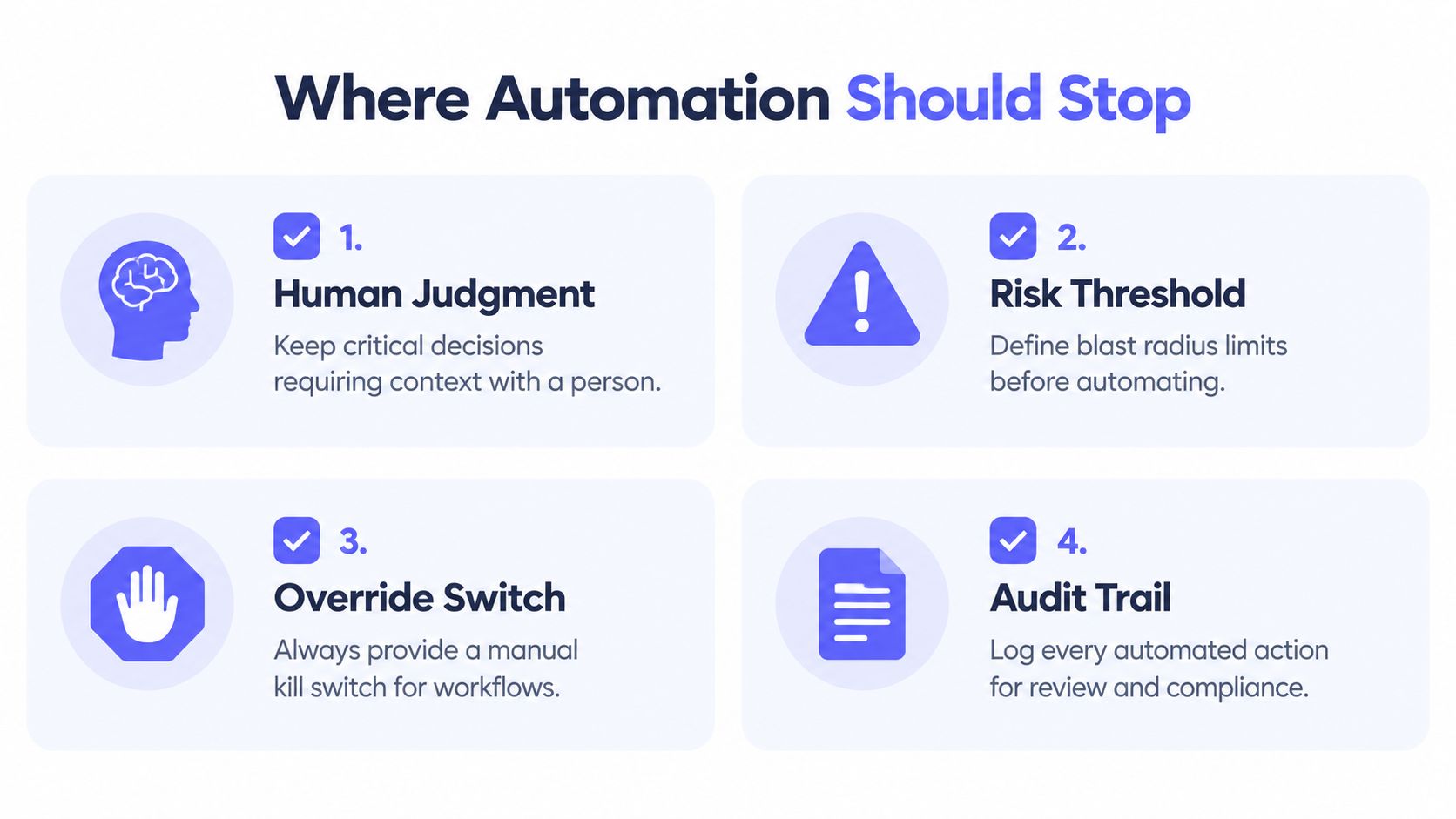
Four tests help define the boundary:
- Reversibility: Can the action be undone quickly and safely?
- Blast radius: How many services, users, or customers could be affected?
- Data sensitivity: Does the workflow touch personal, financial, security, or regulated information?
- Auditability: Can the team prove what happened, when it happened, and which rule authorized it?
A service restart may pass the reversibility test for a stateless worker, but not for a database with uncertain failure symptoms. A routing rule can automatically notify the owner, yet require human review when alert confidence is low. A security workflow might gather evidence automatically while leaving containment approval with an authorized responder.
Human review belongs at irreversible, high-impact, and ambiguous decision points.
This boundary becomes more important as teams move from fixed rules toward AI-assisted orchestration. Zoho's 2025 trend summary identifies AI-driven decision intelligence and hyperautomation as major roadmap themes, while the Camunda report highlights the growing need for control and sustainability. Context-aware decisions can reduce manual work, but they also require policy design, exception handling, approval paths, and clear accountability.
Automation is a force multiplier for people. It should handle predictable coordination so engineers can concentrate on uncertain decisions, customer impact, and system design.
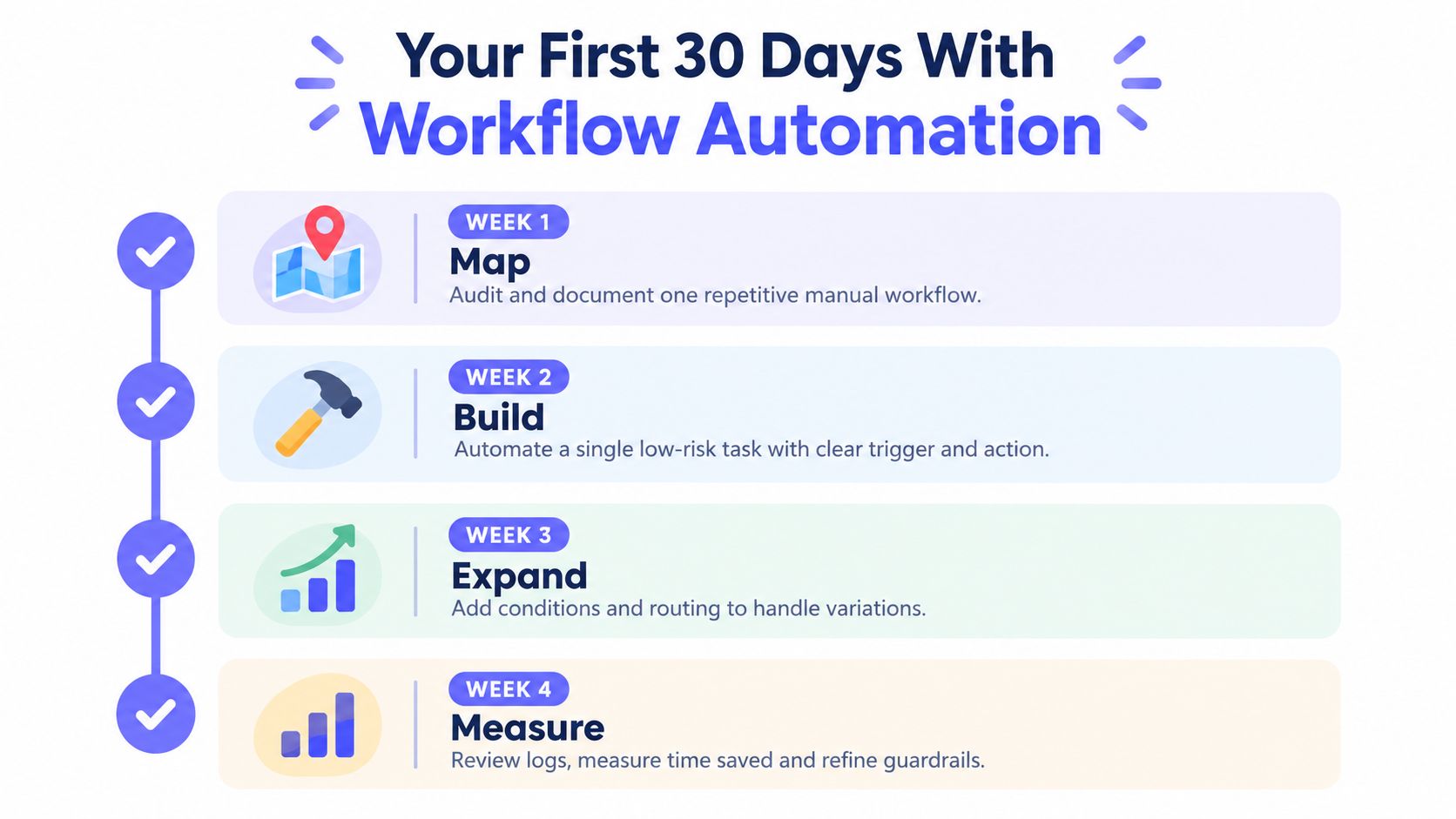
Your First 30 Days With Workflow Automation
A small operations team doesn't need a months-long transformation program. A focused first month can produce one dependable workflow and reveal the governance work required for the next one.
Week one maps the pain
Record the manual handoffs around alerts, escalations, retries, and incident updates. The team should identify where responders copy data, wait for acknowledgements, repeat checks, or close tickets manually.
The output is a simple baseline. It should show the workflow's trigger, systems involved, human decisions, failure modes, and owner. Without that map, automation may only hide the original problem.
Week two builds one safe path
Choose one high-volume, low-risk process. Certificate renewal reminders, disk-space cleanup with strict limits, or a known service-health check can provide a manageable starting point.
Define the trigger, inputs, conditions, action, verification step, timeout, rollback, and escalation before implementation. A dry run should show what the workflow would do without changing production state.
Week three expands the response
Add routing by severity, service owner, environment, and schedule. Introduce bounded retries for transient checks, then test escalation when the primary responder doesn't acknowledge the event.
The workflow should preserve the original signal and every action taken. That record lets the team distinguish a useful reduction in noise from a workflow that merely suppresses evidence.
Week four measures and governs
Review successful runs, failed branches, manual overrides, and unexpected notifications. Add a kill switch, document the owner, schedule a review cadence, and test the workflow after changes to dependent systems.
The first month should end with a reliable pattern, not a large catalog of fragile automations.
A screenshot-friendly starting checklist:
- Baseline: Document alert noise, manual handoffs, retries, and escalation points.
- Starter workflow: Select one repeatable action with limited blast radius.
- Routing rules: Define ownership, severity, schedule, and notification destinations.
- Guardrails: Add dry runs, verification, kill switches, timeouts, and escalation.
- Review cadence: Inspect logs and workflow behavior after changes and incidents.
Fivenines connects infrastructure monitoring with workflow automation for Linux servers, network devices, websites, and cron jobs, including routing, delays, retries, and escalations. Teams can use its dashboards, notifications, webhooks, and API-based management to turn operational signals into governed response paths, so visit Fivenines to evaluate a practical starting point for calmer on-call operations.