Terraform Drift Detection: A Step-by-Step Guide for 2026

The plan comes back clean. Then someone opens the cloud console and finds a security group rule that isn't in Git, a database parameter nobody remembers changing, and an IAM user Terraform has never seen. Nothing broke, so nobody investigated, but the next routine apply could undo an emergency fix or leave the exposed rule in place because it was never in state.
That's the usual starting point for Terraform drift detection. The problem isn't running a command. It's knowing what the command can see, separating a real change from provider noise, and deciding what to do before an apply touches production.
Table of Contents
- Drift Detection Methods Compared at a Glance
- How to Run a Refresh-Only Drift Check
- Separating Real Drift From Provider False Positives
- What a Clean Plan Still Misses
- Automating Drift Checks and Routing Alerts by Risk
- Remediating Drift Without Overwriting Live Fixes
- Schedule Your First Weekly Drift Check
Drift Detection Methods Compared at a Glance
A refresh-only plan checks provider-readable attributes of resources already tracked in the selected state. A normal plan also compares the configuration with the refreshed view and can propose infrastructure changes. Neither is a complete cloud inventory. Choose the check according to the question you need answered, and keep detection separate from approval to change production.
Every option reads live resources through the provider API. They split on scope, timing, and who gets the result. An engineer auditing one workspace before a release does not need the same control as an MSP looking across client accounts for infrastructure that never entered state.
A manual refresh-only plan fits one workspace when a person will read the diff. The plan does not change remote resources. Applying a refresh-only plan updates Terraform state and root-module output values, still without changing the remote objects. A normal apply can change those objects. See the Terraform plan reference; refresh-only mode requires Terraform 0.15.4 or later.
With pipelines already running, schedule the same style of plan in CI and store the output as an artifact. Nightly or weekly is the usual cadence. Keep the job plan-only. Auto-apply on a drift job is how a 2 a.m. run overwrites an emergency console change.
HCP Terraform drift detection covers many workspaces when you want those recurring checks and alerts without a custom pipeline. Third-party scanners add policy and configuration findings, usually without changing infrastructure, on a schedule or from events. Cloud inventory comparison is the row that finds shadow resources, because plan output only includes what state already tracks.
Decide ownership before you enable any of them: who triages, which environments may notify automatically, and which diffs stay manual. Practical cloud infrastructure guidance is a reference for those process decisions around the tooling choice.
Drift detection methods by what they catch and how often
| Method | What It Catches | Changes Live Infrastructure? | Typical Cadence | Best Fit |
|---|---|---|---|---|
| Refresh-only plan (manual) | Attribute differences in tracked resources | No; refresh-only apply updates state, not remote resources | On demand | Auditing one workspace before a change |
| Scheduled plan in CI | Depends on mode: refresh-only for state drift, normal plan for configuration reconciliation | No, when run as plan only | Nightly or weekly | Teams already running plans in pipelines |
| HCP Terraform drift detection | Recurring checks of managed resources in workspaces | No | Recurring | Multi-workspace teams that want alerts without a custom pipeline |
| Third-party drift scanners | Drift plus policy and configuration findings | Usually no | Scheduled or event-driven | Multi-account or multi-cloud estates |
| Cloud inventory comparison | Resources that exist outside Terraform state | No | Scheduled | MSPs and hosting providers hunting shadow infrastructure |
Start with two. Use a refresh-only plan for the single-workspace audit, and a scheduled plan in CI to repeat that check. Route security groups, IAM, and database parameters to a person. Leave noisy attribute diffs for later triage instead of an automatic apply.
How to Run a Refresh-Only Drift Check
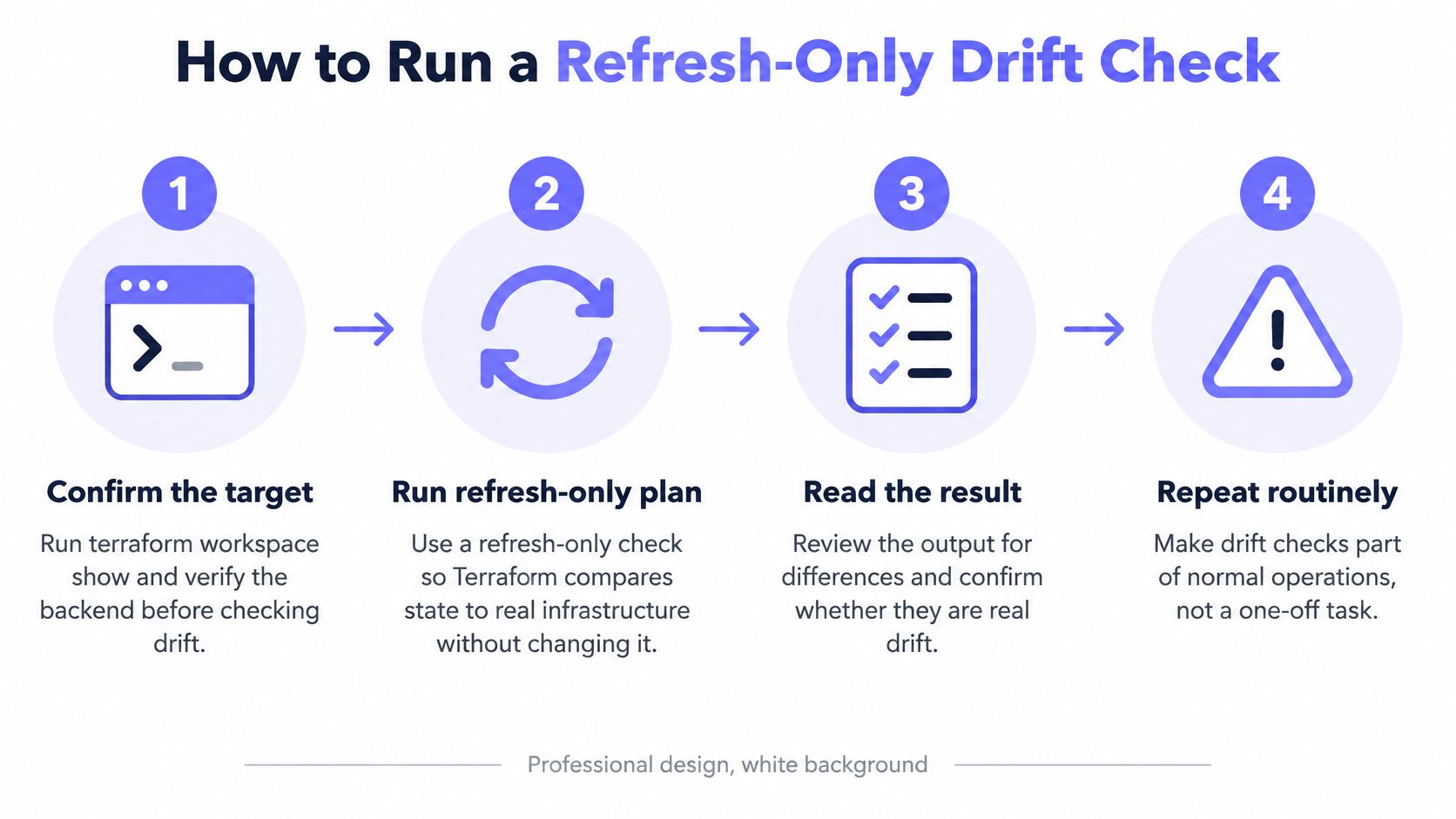
A defensible check separates observation from remediation. The HashiCorp tutorial on resource drift describes running terraform plan -refresh-only, reviewing proposed state changes, and classifying each difference as authorized or unauthorized before updating configuration or running a normal plan to reconcile infrastructure. That sequence matters because the refresh-only plan reads current values through the provider and compares them with recorded state without changing deployed resources.
The visual below condenses the routine into its four core moves.
Six steps for a repeatable check
Confirm the target. Run
terraform workspace showand verify the backend before anything else. A drift check against the wrong workspace produces a clean result that means nothing, and it's the easiest mistake to make in a multi-environment setup.Match provider versions. Run
terraform initso local provider versions match the lock file used in CI. Different provider builds can report different defaults and attribute handling, which turns a tooling mismatch into apparent drift.Run the refresh-only plan and save it. Run
terraform plan -refresh-only -no-colorand redirect output to a dated file named with the workspace. That file becomes the audit artifact, so a later reviewer can see exactly what was reported and when.Read attributes, not the summary. Record the resource address and attribute name for every difference instead of relying on the change count. Three changed resources could mean one tag edit, or it could mean a network rule, a storage setting, and a database parameter.
Classify each difference by risk. Sort every difference into a risk tier based on the resource and attribute involved, using the tiers defined for automated routing. A public ingress rule and a description edit shouldn't wait in the same queue.
Choose one path per difference. For an authorized change, update the configuration and run a normal plan until it's clean. For an unauthorized change, get approval before a normal apply restores declared values, because that apply changes live infrastructure.
Practical rule: A refresh-only plan is read-only against live resources, but applying it updates recorded state. Treat both actions as separate decisions with separate approvals.
What a clean result actually looks like
A finished check produces three things. The plan shows an empty change set, the resource count matches what the workspace should manage, and a dated output file is stored with the workspace name. For MSP and multi-account environments, the same routine runs per tenant, because separate state, provider credentials, and refresh permissions have to be validated account by account.
That scope limit deserves emphasis. A "no drift" result means no detectable drift in tracked attributes, not proof that the entire cloud account matches the repository. Teams that treat the distinction seriously avoid signing off on audits the tool never performed.
Separating Real Drift From Provider False Positives
The most common false positive is boring. A resource gets created or updated, the provider doesn't fully read the remote object back, and the next refresh reports a difference nobody made. HashiCorp's provider guidance on detecting drift recommends executing a complete READ after create and update operations so state immediately reflects the remote object, which confirms that detection quality depends on provider implementation details, not just the CLI.
Every diff is therefore a question, not a verdict. The patterns below cover the cases teams see most often.
Drift patterns, likely causes and how to confirm them
| Diff Pattern | Likely Cause | How to Confirm |
|---|---|---|
| Tracked attribute changed in the console | Manual or emergency change | Match the change to an audit log entry or ticket |
| Same diff returns after every apply | Provider read-back gap or computed-value churn | Compare the raw API response with the provider debug log |
| Diff appears only after a provider upgrade | Schema or default change in the new provider version | Pin versions and rerun the check on the previous version |
| Diff appears on one runner only | Credential, region or provider version mismatch | Compare runner environment and lock files |
Confirming the cause before acting
A diff that returns after every apply usually points at provider read-back or computed-value churn, not an operator sneaking into the console nightly. Running another apply against it won't fix anything. The diagnostic path works better: compare raw API values, provider debug logs, and state serialization to find where the values diverge, then pin or upgrade the provider with that evidence in hand.
Runner-only diffs point somewhere else entirely. Differing schemas, defaults, permissions, or API responses create environment-specific results, so teams should normalize provider versions and credentials across runners before comparing outputs. A laptop and a CI runner disagreeing about drift usually means the environments disagree, not the infrastructure.
Testing detection with a controlled mutation matrix
Drift checks themselves need testing. In an isolated non-production workspace, change one supported attribute out of band, run a refresh-only plan, and verify the expected diff appears. Then change an unsupported or omitted attribute, verify it isn't reported, and document that gap. Revert both changes and confirm the next assessment is clean.
That exercise produces a written record of what detection catches for each provider in use, which is far more useful than assuming coverage. When a later diff appears on a critical resource, the team already knows whether the tooling reports that attribute reliably.
If a fix would overwrite a live setting on a critical resource, update the code first and treat the diff as a finding to review, not a change to force through.
What a Clean Plan Still Misses
A production account can return a clean terraform plan and still contain an IAM user nobody imported. The HashiCorp validated design guide on continuous validation states that drift detection generally covers attributes Terraform explicitly manages and does not identify resources created entirely outside Terraform, such as manually created IAM users. An unmanaged security group or a bucket in the wrong account can sit beside a perfectly clean workspace indefinitely. With -detailed-exitcode, exit code 0 means the selected plan has no changes, 2 means a non-empty diff, and 1 means an error. Without that flag, exit code 0 means the command succeeded, even when changes are proposed.
The image below illustrates the blind spots of a single-workspace view: a green plan can look complete while resources outside that workspace stay invisible.
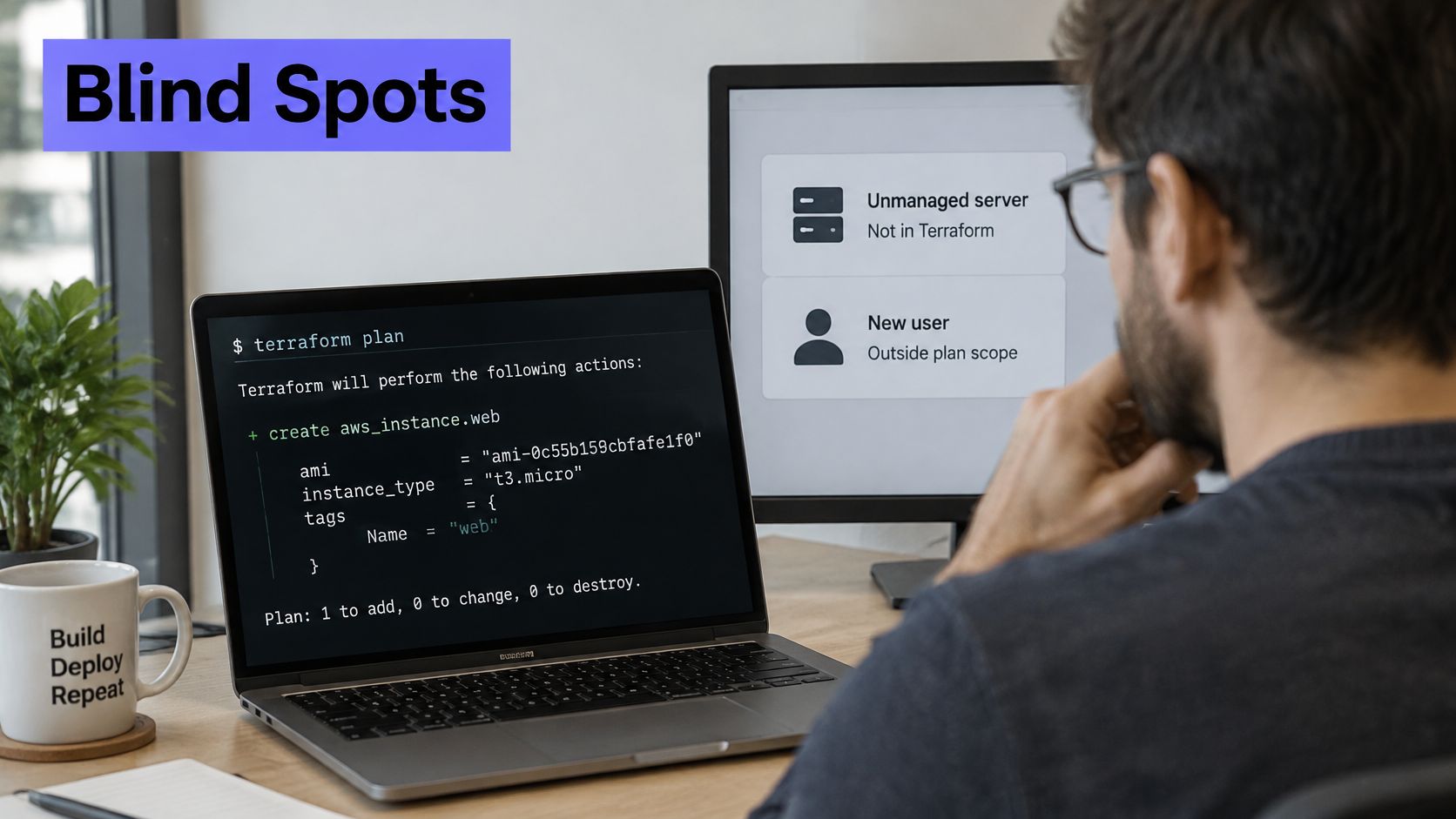
For MSPs, hosting providers, and multi-account SaaS teams, that blind spot carries more risk than a single changed attribute. A modified attribute is at least visible and owned. A resource in the wrong account, region, or provider scope has no owner in code, no lifecycle policy, and no guarantee anyone patches or restricts it. I treat a refresh-only plan and a cloud inventory export as different checks. The plan answers whether managed fields drifted. The export answers whether anything exists that state never recorded.
Three questions for the inventory check
- Does inventory match state? Export a cloud inventory per account and compare it against the resource addresses in state, listing gaps by account and region.
- How is each orphan classified? Mark each unmatched resource as intentionally externally managed, pending import, or shadow infrastructure.
- Who owns it? Assign a named owner to every gap, because unowned resources don't get reviewed, they get forgotten.
Review shadow infrastructure in production before lower-risk pending imports. Do not import or destroy an unmatched resource until its owner confirms the classification. An incorrect import associates a remote object with the wrong resource address in state. The CLI import command does not write configuration; generated configuration is a separate workflow. Review both the address and the resource configuration before importing.
The comparison only works if the underlying records are trustworthy, which is why monitoring data quality in operational systems matters when inventory exports feed compliance decisions. Stale tags and duplicate entries produce false orphans and hide real ones.
The short walkthrough below shows how the inventory mindset differs from reading plan output.
Some recent Terraform tooling treats inventory discovery as its own step rather than an extension of drift checking. A clean plan means no differences in tracked fields. Account compliance still needs that separate inventory pass.
Automating Drift Checks and Routing Alerts by Risk
A changed tag and an opened public ingress rule need different responses. Keep the raw plan for review, then route findings by resource, attribute, environment and owner. Treat an unreadable plan, missing credentials or an API failure as a failed check, never as a clean result.
The checklist below lays out the layered workflow that handles both.
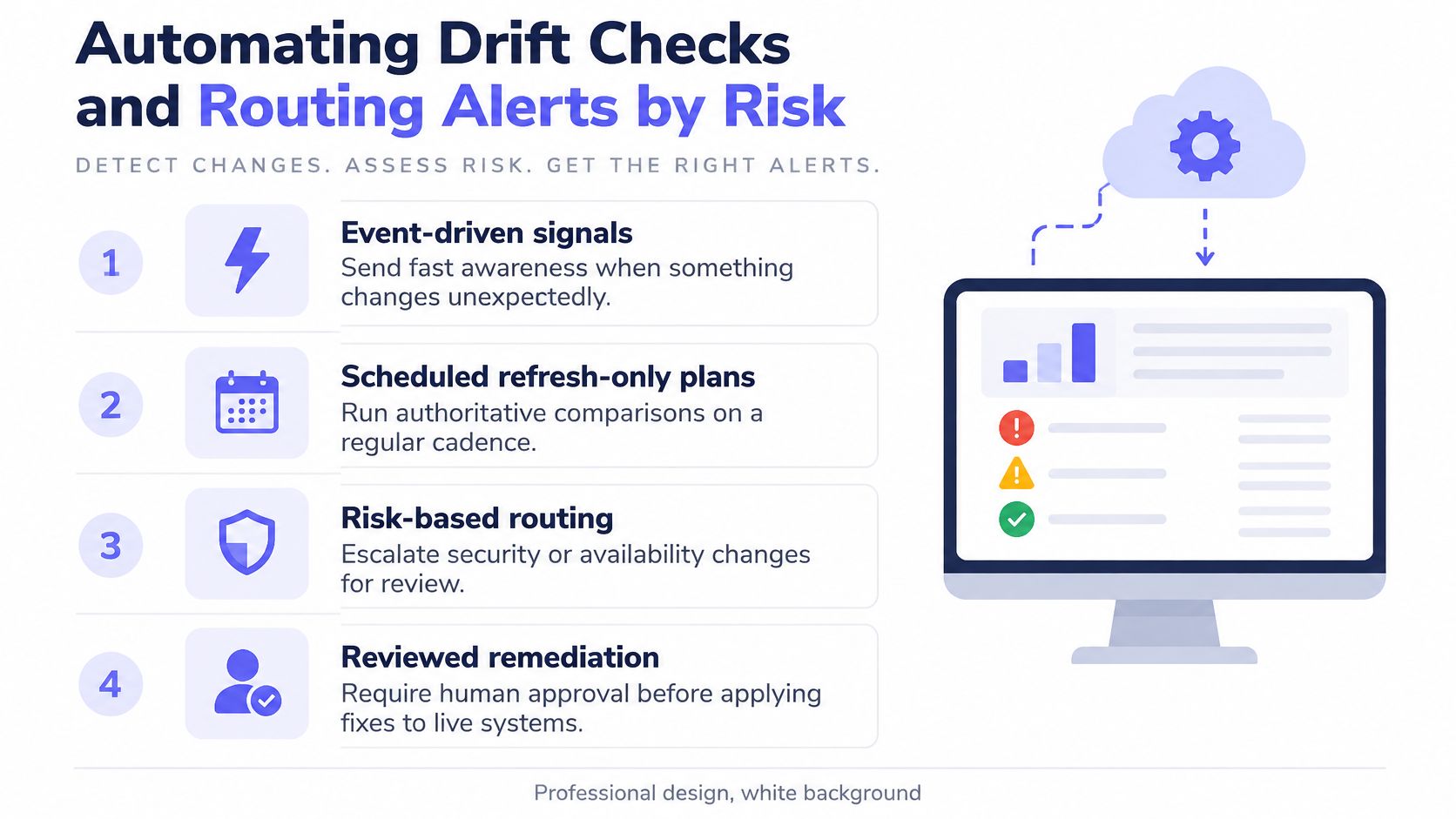
The layered workflow
- Event-driven signals give fast awareness when something changes unexpectedly.
- Scheduled refresh-only plans provide the authoritative comparison against state.
- Reviewed remediation handles changes with security or availability impact, with human approval before anything applies.
Drift risk tiers, examples and routing
| Risk Tier | Example Drift | Response | Route |
|---|---|---|---|
| Critical | Public ingress opened on a security group | Fix within hours | Page on-call |
| High | Database parameter changed outside code | Fix in the next change window | Ticket plus chat alert |
| Medium | Tag or description changed by hand | Fix within a sprint | Ticket only |
| Low | Computed value churn | Suppress with a documented reason | Dashboard only |
The CI job that runs it
Use the following plan-only job as drift-check.sh in a trusted CI runner or an operations host. Prerequisites: Terraform 0.15.4 or later, a committed provider lock file, the intended backend already configured, and credentials that can read the provider resources and use the backend's required state/locking operations. Do not give the detection job permission to apply infrastructure changes. Backend locking may require limited writes even though provider resource access is read-only.
#!/usr/bin/env bash
set -euo pipefail
umask 077
: "${EXPECTED_WORKSPACE:?Set EXPECTED_WORKSPACE to the workspace to check}"
report_dir="${DRIFT_REPORT_DIR:-./drift-reports}"
mkdir -p "$report_dir"
report="$report_dir/$(date -u +%Y%m%dT%H%M%SZ)-$$"
terraform init -input=false -lockfile=readonly > "$report-init.log" 2>&1
actual_workspace="$(terraform workspace show)"
if [[ "$actual_workspace" != "$EXPECTED_WORKSPACE" ]]; then
  printf 'Wrong workspace: expected %s, got %s\n' "$EXPECTED_WORKSPACE" "$actual_workspace" >&2
  exit 1
fi
set +e
terraform plan -refresh-only -detailed-exitcode -no-color -input=false "$@" > "$report-plan.log" 2>&1
result=$?
set -e
case "$result" in
  0) outcome="no_detected_drift" ;;
  2) outcome="drift_review_required" ;;
  *) outcome="check_failed"; result=1 ;;
esac
printf 'workspace=%s\noutcome=%s\nexit_code=%s\n' "$actual_workspace" "$outcome" "$result" > "$report-summary.txt"
printf '%s: %s\n' "$outcome" "$report-summary.txt"
exit "$result"
Run it from the Terraform root directory, with the expected workspace selected by your existing deployment setup:
EXPECTED_WORKSPACE=production bash ./drift-check.sh -var-file=production.tfvars
The variable file and workspace name above are examples to replace with your own. The script checks the workspace but does not create or switch it. It passes any supplied plan options through, so keep those arguments in reviewed configuration.
CI handling: preserve the report directory even when the job exits non-zero. Route code 2 to drift review and code 1 to a failed-check alert. Never append || true to the scheduled job without separately handling its exit code. Plans and initialization logs can contain sensitive values: keep artifacts private, restrict readers and set a short retention period.
For a host scheduler, a nightly cron entry can call the same job:
15 2 * * * cd /srv/terraform/production && EXPECTED_WORKSPACE=production /bin/bash ./drift-check.sh >> /var/log/terraform-drift.log 2>&1
Provision those example paths and protect the output file first. Cron uses the host's configured timezone, and a cron exit code alone does not create a page: connect the result to your existing job monitor or notification wrapper. Test all three outcomes before relying on it. The script's control flow has been checked with simulated Terraform responses; backend authentication and actual drift detection still need validation in your workspace.
Grouping matters as much as timing. One alert per real problem beats one alert per resource, so a broken shared dependency raises a single incident. Every alert carries workspace, resource address, owner, risk tier, and a link to the saved plan, which gives the responder enough context to act without rerunning the check.
Remediating Drift Without Overwriting Live Fixes
A drift result isn't permission to apply. Say an on-call engineer raises a database connection limit at 2 a.m. to stop an outage, and the fix works. The following week, a routine apply resets the limit to the declared value, connections fail again, and nobody tested that rollback because nobody knew it was happening. That sequence is why remediation order matters.
The report review below is where that decision should happen, before any apply runs.
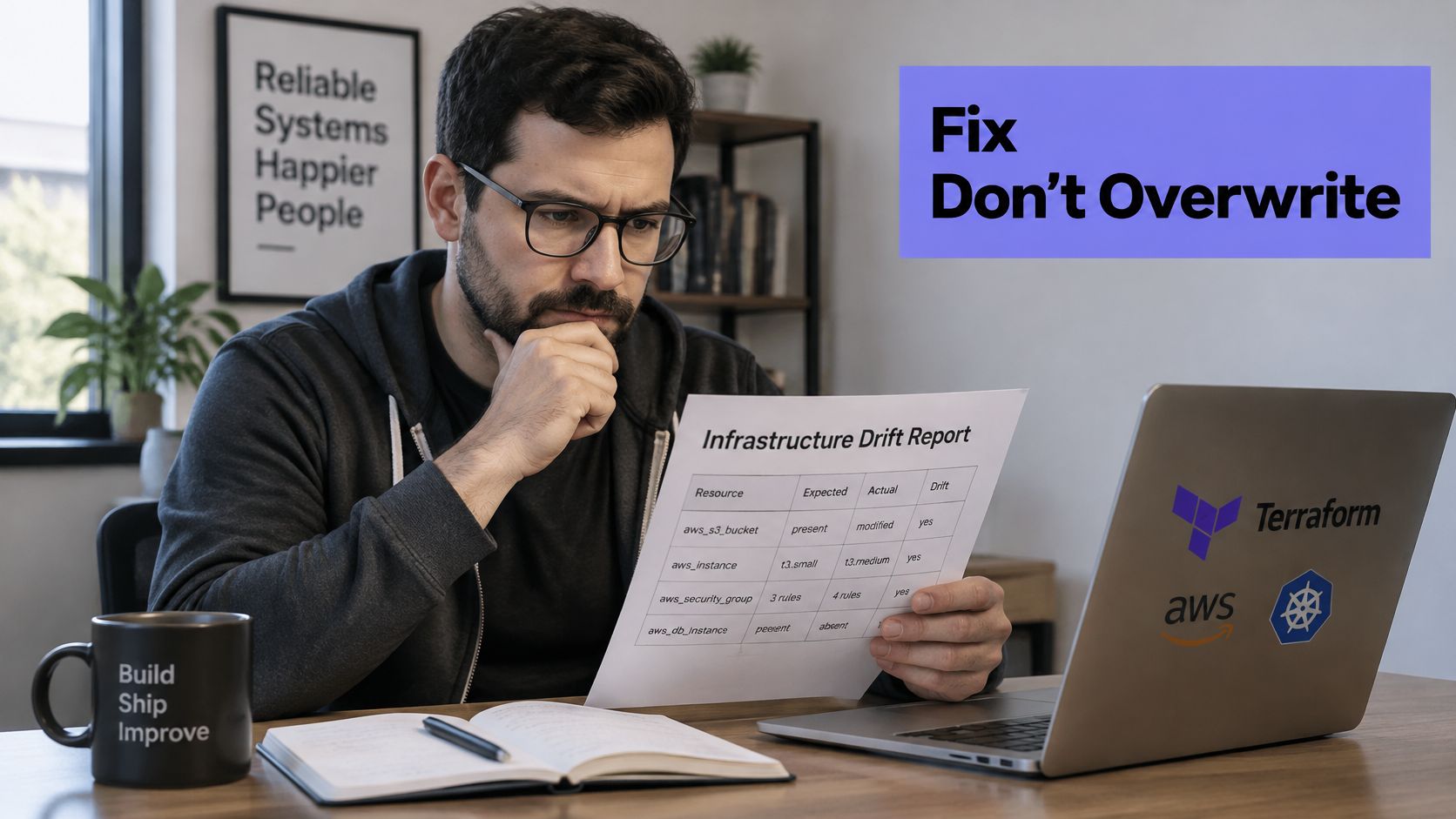
Four resolutions in order
Update the configuration to match reality. When the change was authorized and correct, bring the code to the live value, then plan until clean. This is the right answer for the connection limit case, and it preserves the fix that stopped the outage.
Run a normal apply to restore declared values. When the change was unauthorized and the team has approved reversal, apply restores what code declares. This path changes live infrastructure, so it carries the same review weight as any production change.
Use lifecycle ignore_changes narrowly. Some attributes belong to another system, such as a tag written by a cost tool or a value rotated by an external controller.
ignore_changesfits those cases when scoped to named attributes, not whole resources.Use prevent_destroy as one safeguard. For supported resource configurations,
prevent_destroyrejects plans that would destroy the object while the rule remains present. Removing the entire resource block also removes this protection, so it is not a substitute for backups, provider-side deletion protection and review. See the lifecycle reference.
Keep a working emergency fix and update the code. Overwrite a live setting only when the live setting is wrong.
Production gates before any apply
- Approval before apply for anything touching critical resources.
- Maintenance windows for changes with availability impact.
- Blast-radius check counting dependent resources the plan would touch.
- Rollback note in the ticket describing how to reverse the remediation.
Neither ignore_changes nor prevent_destroy is a detection tool. They hide or block changes, they don't reveal them, so teams still need the refresh-only check running on schedule. Treating declared configuration as the reviewable source of truth, in the spirit of GitOps workflows for infrastructure changes, keeps every remediation visible in a pull request rather than buried in console history.
Schedule Your First Weekly Drift Check
Start with one important workspace and a named reviewer. Record the last successful check, the most recent diff and the ticket that explains each accepted change. A job that stopped running must be visible separately from a job that ran and found nothing.
The minimum setup is small. One workspace, one scheduled refresh-only plan, output saved to an artifact store, one alert channel, and a named owner. Picking the interval deliberately, rather than defaulting to whatever the scheduler offers, follows the same thinking behind building a monitoring schedule that matches risk, because a weekly check nobody reads is worse than a monthly check somebody owns.
The 30-day path
- Week one: Run the manual refresh-only check on the most important workspace and classify every difference.
- Week two: Add the scheduled CI job with
-detailed-exitcodeand artifact upload. - Week three: Add risk-tier routing so critical drift pages and benign drift opens tickets.
- Week four: Compare cloud inventory against state for each account and list gaps by account and region.
Monitoring resources themselves can join the same routine. Fivenines has a Terraform provider that lets customers define monitoring resources alongside their infrastructure code, and monitors can be managed as code through the public REST API and the Terraform provider, with checks provisioned from CI/CD. That means the drift check covering production infrastructure can also cover the monitors watching it, instead of leaving monitoring configuration as another manual exception.
The single decision is the workspace. Pick the one that matters most, assign the owner, and run the first check before the end of the week.
Use the Fivenines Terraform provider to manage supported monitoring resources alongside infrastructure code. Keep resource-drift detection in Terraform and use cron job monitoring to check that the scheduled job actually runs. These are complementary checks: Fivenines does not infer a Terraform drift result from a successful heartbeat.