What Is Incident Management Process: A Practical Guide

An alert fires at 2:40 a.m. A dashboard turns red, a customer reports failed checkouts, and three engineers open separate chats with different theories. Without a shared process, the fastest person starts restarting services while nobody owns communication, evidence, or the decision to roll back. A clear incident management process replaces that improvisation with known roles, timestamps, and a verified recovery test.
Table of Contents
- What Incident Management Is and Why It Matters
- The Incident Lifecycle From Detection to Closure
- Severity Levels and Who Owns Each Role
- Runbooks, Alert Routing and Tooling That Support the Process
- Turning Every Incident Into a Blameless Postmortem
- Put Your Incident Process in Place This Week
What Incident Management Is and Why It Matters
The answer to what is incident management process starts with a simple priority. It's the structured process a team uses to detect, assess, mitigate, resolve, and learn from a service disruption, with restoration of reliable service as the first goal. A house fire gives the right order. People get out and responders put out the fire before anyone argues about what started it.
That ordering matters in production. The NIST incident response project supports a lifecycle where teams assess impact and contain effects before definitive root cause analysis, then document the event with corrective actions. Root cause elimination still matters, but it doesn't outrank stopping user harm.
What Counts as an Incident
An incident is an unplanned interruption of an IT service or a reduction in its quality. One failed disk in a mirrored set counts even when users haven't noticed, because redundancy and service quality are already reduced. A login outage, a stalled payment queue, and severe latency on a core workflow also qualify.
Three disciplines shouldn't be confused:
- Incident management: restores service now and limits current disruption.
- Problem management: investigates recurring causes across incidents and removes them.
- Change management: governs planned work before it reaches production.
Teams compress the lifecycle into Detect, Respond, and Recover. Practical operations expand those phases into alerting, impact assessment, prioritization, coordination, mitigation, restoration, and post-incident review.
Measurements Worth Tracking From Day One
Useful measurements include time to detect, time to acknowledge, time to mitigate, time to resolve, incident duration, affected users or services, and recurrence rate. Those numbers show where time disappears. A team might detect failures quickly but lose thirty minutes deciding who can approve a rollback.
Monitoring finds the smoke. Incident management assigns the people, decisions, and proof needed to put the fire out.
The process therefore connects technical signals to human coordination. Someone must recognize the event, own it, communicate status, make decisions under uncertainty, and verify recovery. Closure isn't the end either, because a mature process tracks corrective actions until they're complete.
The Incident Lifecycle From Detection to Closure
A lifecycle is useful only when each stage produces evidence the next stage can use. The table below makes that handoff explicit.
| Stage | Goal | Typical activity | Output |
|---|---|---|---|
| Detect | Notice the problem before users report it | Alerts, uptime checks and log signals | Validated alert with a start timestamp |
| Triage | Decide whether the event is real and how severe it is | Confirm user impact, list affected services, set severity | Severity level and named owner |
| Respond | Get the right people working on it | Page on-call, open one incident channel, escalate by policy | Incident commander assigned |
| Mitigate | Stop or contain user impact | Roll back the last change, fail over, disable a feature flag | Impact contained, timestamp recorded |
| Resolve | Restore service and verify it | Apply the fix, check error rates and latency, confirm with customers | Recovery verified and incident closed |
| Learn | Turn the event into prevention | Blameless postmortem and tracked corrective actions | Action items with owners and due dates |
That structure has a long history. The GLPI summary of ITIL notes that ITIL v3, published in 2007 and reorganized in the 2011 edition, placed incident management in a five-stage service lifecycle, while ITIL 4 in 2019 replaced that framing with 34 adaptable management practices. The operational definition stayed stable across those versions.
A narrower control model comes from NIST Special Publication 800-61r2, which defines preparation, detection and analysis, containment, eradication and recovery, and post-incident activity. Preparation means ownership, escalation paths, severity criteria, communication channels, runbooks, and access are settled before an outage. Strong automated incident detection helps, but it doesn't replace those decisions.
Eight Steps During a Live Incident
- Detect and validate: Confirm the alert reflects real user impact rather than a flapping check or a single noisy host. Record the first observed time, the detection mechanism, and the service affected. A validated signal prevents responders from chasing the wrong system.
- Triage: Identify affected services and dependencies, estimate functional impact, and set severity from business consequences and recoverability effort. A wrong severity pages the wrong people, or fails to page enough of them.
- Assign roles and open one channel: Name an incident commander and use a single incident channel for decisions. Parallel fixes in separate chats create conflicting changes and broken handoffs.
- Communicate: Post the first status update inside the target window, even when it only confirms investigation and known customer impact. Silence invites duplicate reports and side conversations that fragment evidence.
- Mitigate: Take the fastest safe action, such as a rollback, failover, traffic shift, or feature flag change. Preserve logs and relevant state before a restart, because a restart can erase the evidence needed for diagnosis.
- Investigate the cause: Build the timeline from logs, deployment history, configuration changes, and dependency health. Investigation can run alongside mitigation, but it shouldn't block a safe rollback.
- Verify recovery: Confirm error rates, latency, key customer journeys, and customer reports have returned to normal, then keep watching for a defined period. Recovery means normal behavior is verified, not merely that a command completed.
- Close the record: Store detection, acknowledgment, mitigation, recovery, and closure timestamps with the commander name and customer impact. Schedule the post-incident review while the timeline is still fresh.
Where Teams Usually Get Stuck
Stages overlap. Mitigation often lands before root cause is known, and a second failure can appear during recovery. Dependency health complicates closure further. A monitored endpoint can look green while a shared cloud region, identity provider, data pipeline, or third-party processor remains degraded.
Closure test: an incident closes when the end-to-end service is verified healthy and safe, not when a fix is merged.
That test forces explicit recovery criteria. Teams should define which transactions must pass, which dependencies must be stable, and how long heightened monitoring lasts. For changed data or automation-driven configuration, rollback authority and recovery-point validation also belong in the record. The goal isn't a green endpoint. It's proof that customers can use the service normally again.
Severity Levels and Who Owns Each Role
Severity has to be decided in minutes, not negotiated in a meeting while impact spreads. Written criteria let the first responder classify the event, page correctly, and revise the level as evidence improves.
| Severity | Typical criteria | Typical response target | Who is paged |
|---|---|---|---|
| SEV1 | Full outage or data loss affecting most customers | Acknowledge within 5-15 minutes | On-call, incident commander, engineering lead, communications lead |
| SEV2 | Core feature down or major degradation | Acknowledge within 15-30 minutes | On-call and owning team lead |
| SEV3 | Partial degradation with a workaround | Acknowledge within 1-4 hours | Owning team during working hours |
| SEV4 | Minor issue with no customer impact | Next business day | Ticket only, no page |
Those targets aren't universal law. They're a starting point that each organization should adapt to its service commitments, staffing, and customer risk. A payment service and an internal reporting tool shouldn't share identical thresholds.
Roles in the First Ten Minutes
The incident commander owns decisions, priorities, escalation, and the timeline. That person asks what's known, assigns the next actions, and keeps responders from duplicating work. Hands-on debugging belongs elsewhere, because a commander buried in logs can't coordinate.
A technical lead drives diagnosis and proposes mitigation options with risks. A communications lead writes internal and customer updates on a set cadence. A scribe records decisions, configuration changes, overrides, and timestamps in the incident record.
Small teams can combine communications and scribe duties, and the technical lead can change by service area. The commander role still needs separation during major incidents. Clear incident escalation process rules should state who gets pulled in when acknowledgment times out or impact crosses a severity boundary.
Rehearsal matters because major incidents aren't rare hypotheticals. In Cutover's 2025 Major Incident Management report, 65% of organizations surveyed had experienced a major incident during the previous year, and the average time to fully resolve one was 3 hours and 10 minutes. Teams that haven't agreed on severity language spend part of that time arguing about labels.
Write severity definitions before the next outage. During an outage, responders should apply criteria, not invent them.
Runbooks, Alert Routing and Tooling That Support the Process
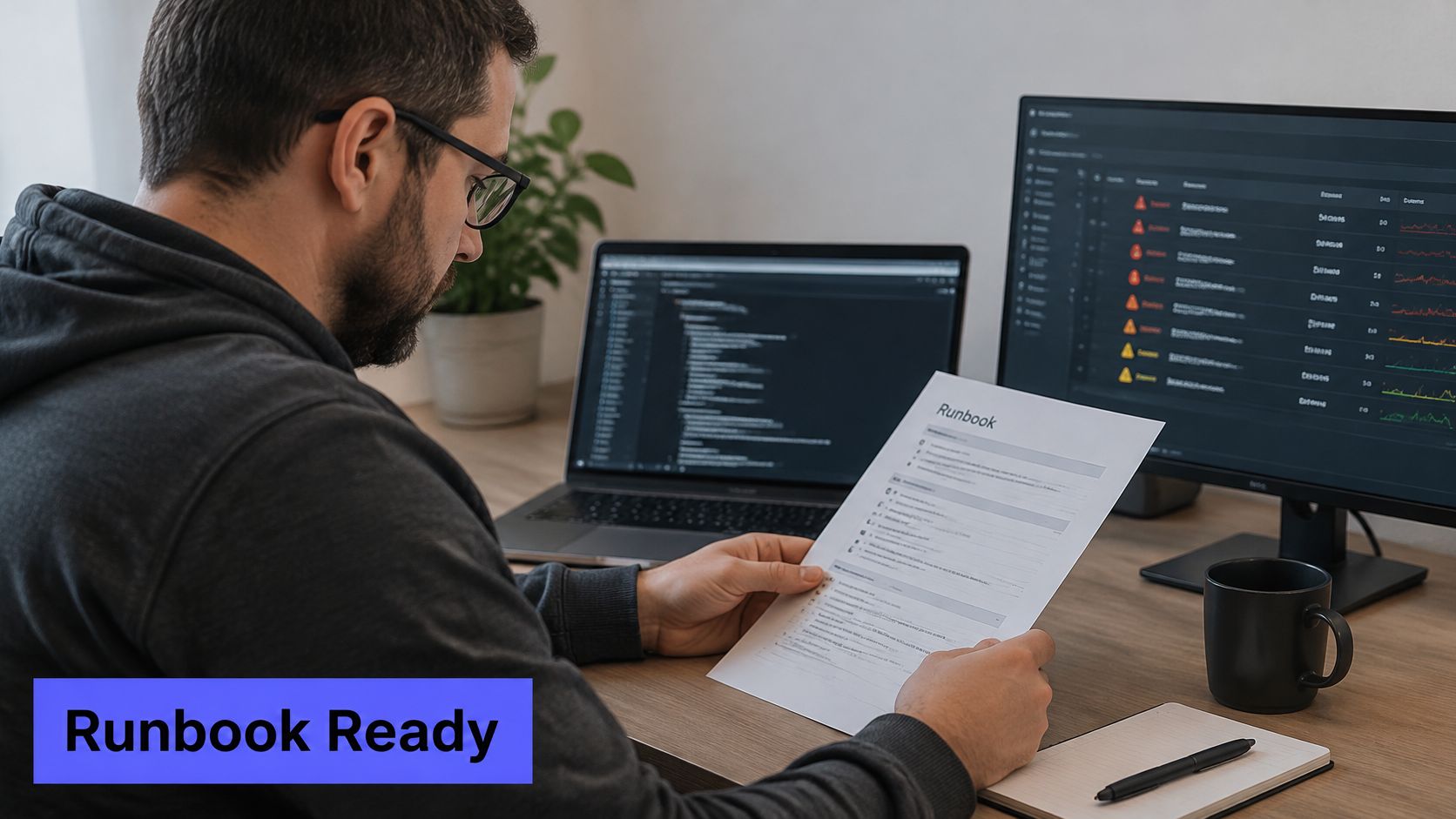
At 3 a.m. the on-call engineer opens a page for connection exhaustion and needs three answers: what to check, what is safe to change, and who to call if the count does not drop. A line that only says "investigate the database" wastes the first minutes of the incident.
The image below shows the working pattern: the procedure stays visible beside live system signals, so the responder is not hunting a wiki while the pool climbs.
A Worked Runbook Example
Every runbook records the trigger condition, expected user impact, first checks, safe mitigation commands, rollback steps, service owner, and escalation contacts. The last step is a recovery check, not a merged fix. Closure means the signal that opened the incident is healthy again, and the customer-facing path matches that evidence.
For database connection exhaustion, a practical sequence looks like this:
- Check the count: Compare active connections with the pool limit and the recent baseline. Note both numbers in the incident record.
- Preserve and reset: If the count is climbing and no deploy is in flight, preserve pool logs and restart the connection pooler.
- Escalate on a timer: Page the database owner if the count does not fall within 15 minutes.
- Verify recovery: Confirm the connection count is back inside the baseline, error rates have settled, and the original alert condition is clear before you call the incident closed.
Alert routing needs the same rules written down before the page fires. Production monitors follow a different path from staging noise. SEV1 and SEV2 events page on-call and leadership. SEV3 notifies the owning team during working hours. Lower-severity signals can create tickets or team notifications instead of a page. A Slack and PagerDuty integration only helps when severity and ownership rules decide which channel receives what.
The short walkthrough below shows how routing and response actions fit together in practice.
Six Tool Categories
- Monitoring and alerting: detects service and infrastructure failures and supplies the evidence the runbook's first check depends on.
- Paging and on-call schedules: assigns ownership and escalation so a missed acknowledgment has a next person.
- Shared incident channel: keeps coordination in one place.
- Incident record: preserves the timeline, decisions, and recovery checks.
- Status page: gives customers a consistent update source.
- Runbook repository: stores current procedures next to the services they cover.
Tool choice should follow maintainability. A platform nobody updates fails when hosts retire and services get renamed. Fivenines can run alongside an existing RMM, which handles endpoint administration, patch deployment and remote access, while Fivenines handles server, service, SNMP, uptime and cron monitoring. Quarterly runbook reviews should remove dead commands, retired hosts, and stale escalation contacts, and confirm each procedure still ends with a check that the service is healthy end to end.
Turning Every Incident Into a Blameless Postmortem
A postmortem should explain how conditions allowed an incident to happen, not assign fault to the person closest to the failure. Blameless reviews make it easier to record the decisions and constraints responders faced, which gives the team better evidence for improving the system.
The Google SRE incident management guide recommends recording the incident's impact, how it unfolded, what worked, what failed, and the corrective actions. The aim is to improve systems, procedures, and training.
What the Record Must Contain
Record the severity, affected services, customer-facing symptoms, detection mechanism, start and end times, mitigation steps, contributing causes, root cause, and links to relevant logs or timelines. Consistent downtime reporting makes incident records easier to compare. Routing, retry, and escalation records from the alerting tool can support the timeline.
Build that timeline during the incident, rather than reconstructing it from memory. Assign one person to capture timestamps, decisions, configuration changes, overrides, customer impact, and recovery checks. Monitoring events provide useful evidence, but responders should manually record decisions the monitors cannot observe.
Documentation isn't clerical work during an incident. It's an operational control that proves what changed, who approved it, and why recovery was declared.
Closure requires verified end-to-end health, not merely a merged fix. Check that the affected service works for its users, relevant monitors are healthy, and the original symptoms have stopped. Record the checks and their results so the next reviewer can see why recovery was declared.
From Findings to Engineering Work
Make each corrective action specific, assign an owner, set its priority, and track it in the team backlog until completion. Tie the action to the evidence: missing telemetry calls for an observability task, noisy alerts for tuning, unsafe deployment behavior for a rollout-control change, and unclear escalation for an ownership fix.
Share concise lessons with people who were not in the review. Teams creating focused operational lessons can browse one point lesson templates and adapt the format to a single failure mode, check, or safe action. Use that format for narrow lessons, not as a replacement for the full postmortem.
Patterns across incidents can reveal risks that a single review cannot. Repeated dependency failures or alert classes may warrant broader investment. Track timeline completeness, root-cause evidence quality, recurrence reduction, and corrective-action completion alongside resolution time.
Put Your Incident Process in Place This Week
A first version doesn't need a platform migration or a new committee. It needs five owned artifacts and one rehearsal against a real past incident.
First Actions in Order
- Write severity definitions: Assign an owner to publish criteria, response targets, and paging rules.
- Set a commander rotation: Name primary and backup commanders for major incidents.
- Create three runbooks: Cover the most frequent incidents first, with safe mitigation and rollback steps.
- Agree on one incident channel: Use a consistent naming pattern and keep decisions there.
- Copy a postmortem template into the team wiki: Include timeline ownership and tracked corrective actions.
Monitoring setup can follow the same one-day logic. The Fivenines onboarding sequence is install the agent at 0:00, add uptime checks and environments at 0:15, route alerts by environment at 1:00, then publish the customer status page in the afternoon. In the second setup step, thresholds and workflows are set, and alerts route to email, Slack, Teams, Telegram, Discord, Pushover, PagerDuty or webhooks.
For uptime incidents, Fivenines confirms failures across regions before paging the user. That confirmation reduces false pages, but teams still need severity rules and a named owner after the page arrives.
One Test to Run Today
Take the most recent incident and walk it through the eight lifecycle steps on paper. For each step, note where the team lacked an owner, a runbook, a severity decision, or a timestamp. Those gaps show where to start, and the next postmortem should close at least one of them.
Fivenines connects multi-region uptime confirmation, server and service monitoring, alert routing, escalation workflows, incident timelines, and customer status pages in one operational flow. Teams building a cleaner incident process can start with those detection and communication controls at Fivenines.