Monitor the Whole Proxmox Cluster, Not One Node at a Time
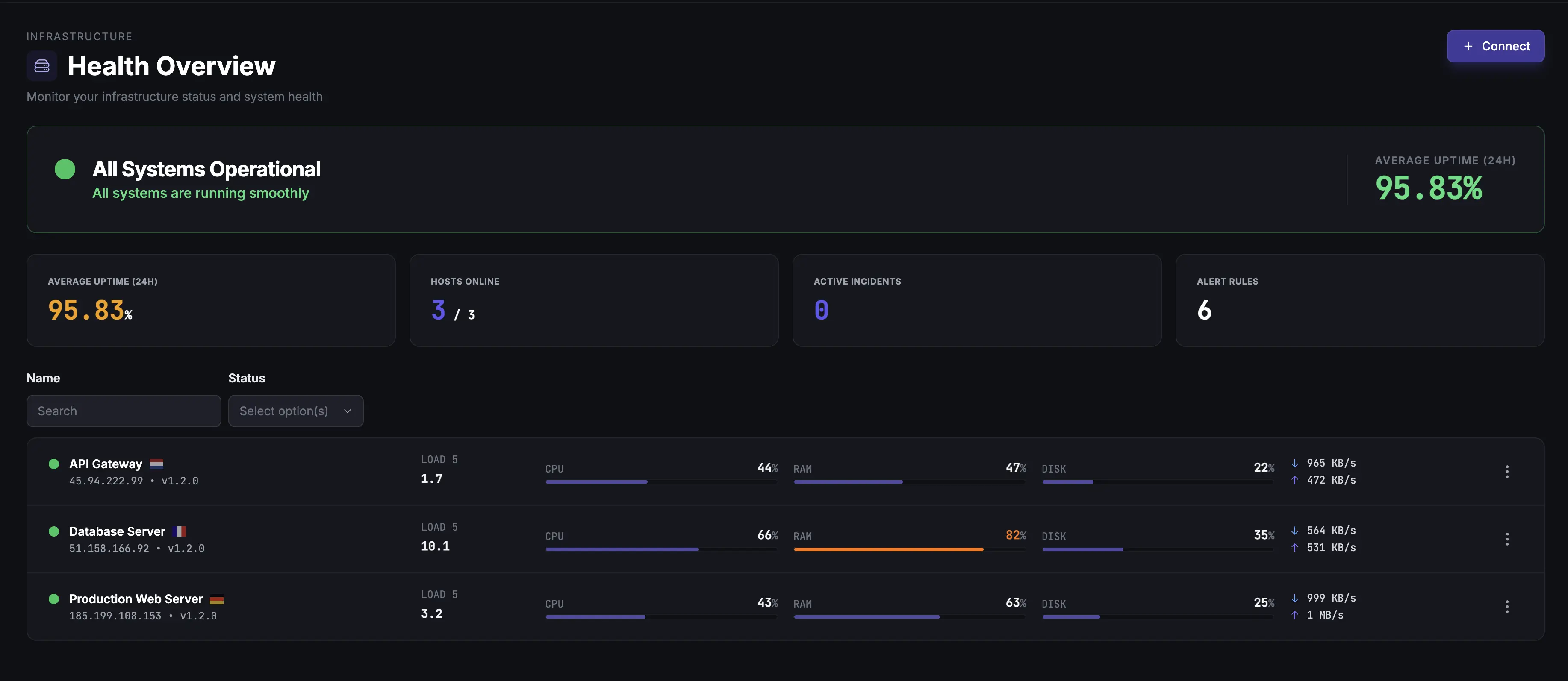
A Proxmox node can show 40% CPU while individual guests fight for resources - and a cluster can lose quorum while every node looks fine. Install the agent on one node to watch the entire cluster: quorum, nodes, VMs, LXC containers and storage pools.
Built for teams monitoring production infrastructure
No credit card · 2-minute setup
-
Cluster-Aware, Not Host-Aware
A Proxmox cluster is a first-class object here, not a per-host record - so one agent covers every node in it.
-
VMs, LXC & Node Metrics
Per-guest CPU, memory, disk I/O and network for both VMs and LXC containers, plus per-node CPU, RAM and running-guest counts.
-
Storage & RAID Health
Track pool capacity and active state across the cluster. On nodes running the agent, ZFS-backed pools also show the underlying zpool's health, and S.M.A.R.T. plus RAID catch failing drives.
Deep dive
One Agent Monitors the Whole Cluster
Point the agent at the Proxmox API with a read-only token and it reports the entire cluster - every node, guest and storage pool - not just the machine it runs on. Install it on more nodes and the extras become redundant reporters: the most complete one is authoritative, and if it goes quiet another takes over automatically, with no duplicate rows.
That changes what an alert means. A cluster losing quorum opens one incident, not one per reporting node. An offline node opens one incident for that node. A stopped guest opens one incident for that guest, and it keeps the same identity if the guest migrates to another node.
Your Whole Proxmox Fleet on One Page
Clusters overview
One card per cluster: quorum state, nodes online, guests running, storage pools active, and a freshness dot for each host reporting it.
Cross-cluster guest grid
Every VM and LXC container across every cluster in one table. Filter by cluster, node, type or status - and sort by live CPU, memory, disk or network.
Per-cluster charts
Nodes online, quorum, average node CPU, memory used against total, and running guests - over whichever time range you pick.
Deep dive
Process-Level Visibility
See which processes on the Proxmox host consume the most resources. Identify runaway QEMU processes, unexpected CPU consumers, or memory-hungry services competing with your VMs.
Deep dive
Alerting That Understands Clusters
Five Proxmox triggers cover the cluster from top to bottom: quorum lost, node offline, guest stopped, storage pool inactive, and a per-guest metric threshold on CPU, memory, disk read/write or network in/out. The first four ship as one-click templates.
Node alerts fan out per node, so a cluster losing two nodes opens two incidents, each naming the node it is about - you know what to look at before you open anything. And putting the hosts into maintenance freezes that cluster's alerts rather than firing a false recovery when the work finishes.
Alerts go where your team works: email, Slack, Microsoft Teams, Telegram, Discord, Pushover, PagerDuty or webhooks.
Common Proxmox Monitoring Scenarios
Homelab
Watch a single node or a three-node cluster. Catch a lost quorum, a guest that failed to come back after a reboot, or a pool filling up before it bites.
Hosting provider
Track resource allocation across customer VMs and containers. Spot noisy neighbors, monitor storage pool health, and keep historical data for SLA reporting.
Managed service provider
Several customer clusters, one fleet page. Filter every guest by cluster, node or status, and hand a named node or guest straight to whoever is on call.
How It Compares
| Approach | Setup | Cluster Health | VMs + LXC | Storage | Alerting |
|---|---|---|---|---|---|
| Proxmox Web UI | Built-in | Built-in | Basic | Limited | Not supported |
| Prometheus + Grafana | 2-4 hours | Exporter needed | Manual config | Manual config | Manual |
| Zabbix | 1-2 hours | Official template | Per-guest items | Template-based | Supported |
| Fivenines | 2 min | Quorum + nodes | Supported | S.M.A.R.T. + RAID | Built-in |
Frequently Asked Questions
Does the agent run on the Proxmox host or inside VMs? +
Will it affect VM performance? +
Does it monitor Proxmox clusters? +
What storage backends are supported? +
Can I monitor Proxmox Backup Server? +
Explore next
Related Features
Infrastructure Services
The layer under the hypervisor - Ceph, RabbitMQ, HAProxy, systemd units and ZFS pools.
Explore ->Server Alerts
Quorum, node and storage alerts on state; per-guest metric thresholds; eight notification channels.
Explore ->Docker Monitoring
Monitor Docker containers running inside your Proxmox VMs.
Explore ->Custom Dashboards
Build unified views combining VM metrics, host data, and storage health.
Explore ->Cron Job Monitoring
Track backup scripts and scheduled maintenance tasks on your Proxmox nodes.
Explore ->See how Fivenines compares to other tools
Read our guide to the best infrastructure monitoring tools in 2026.
Monitor your whole Proxmox cluster from one agent
14-day trial. No credit card required.
No credit card · 2-minute setup · Cancel anytime
Learn more: How to monitor Proxmox virtual machines · How to monitor KVM virtual machines